




HTML Deployer Turn AI-Generated HTML into a Real Website

HTML Deployer finds HTML in ChatGPT, Claude and Gemini, shows a preview, and publishes the page to Netlify, GitHub, FTP or your own server in seconds.

HTML Deployer works with ChatGPT, Claude and Gemini, and it publishes to Netlify, GitHub and FTP.

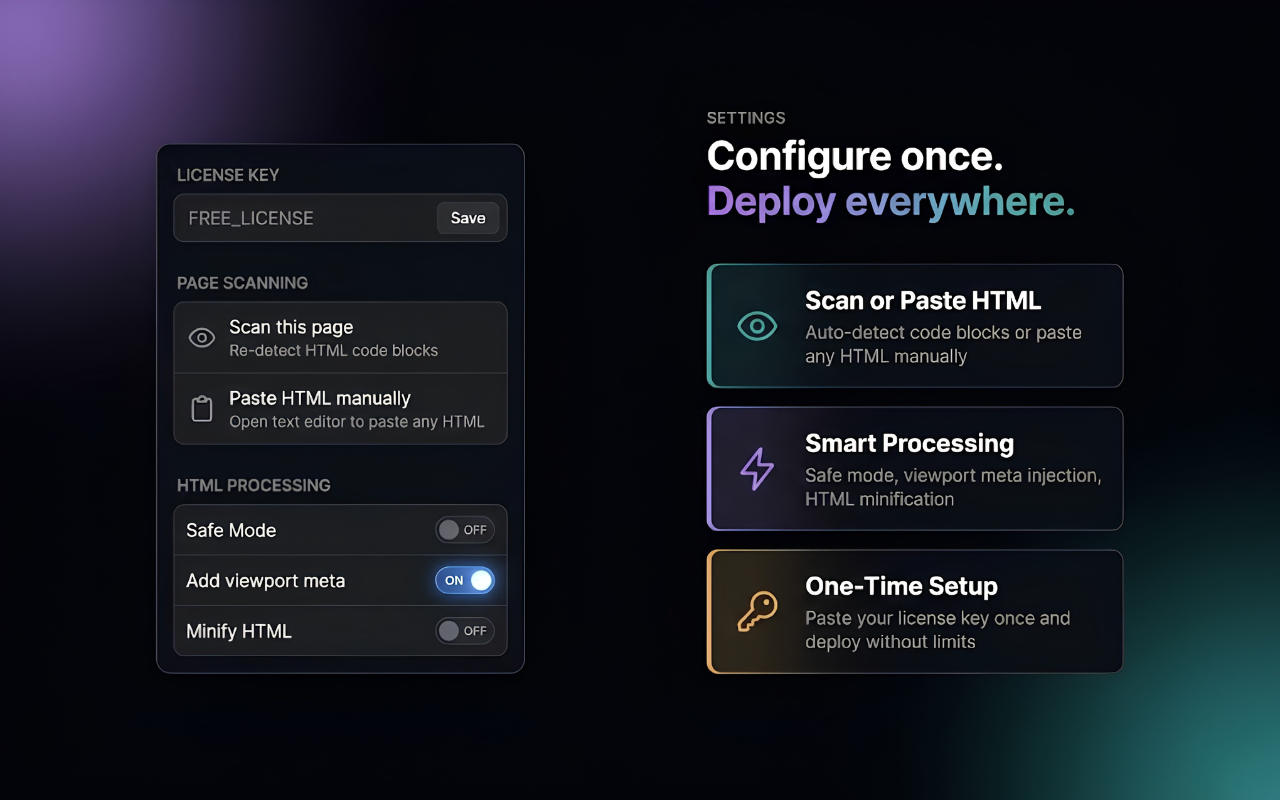
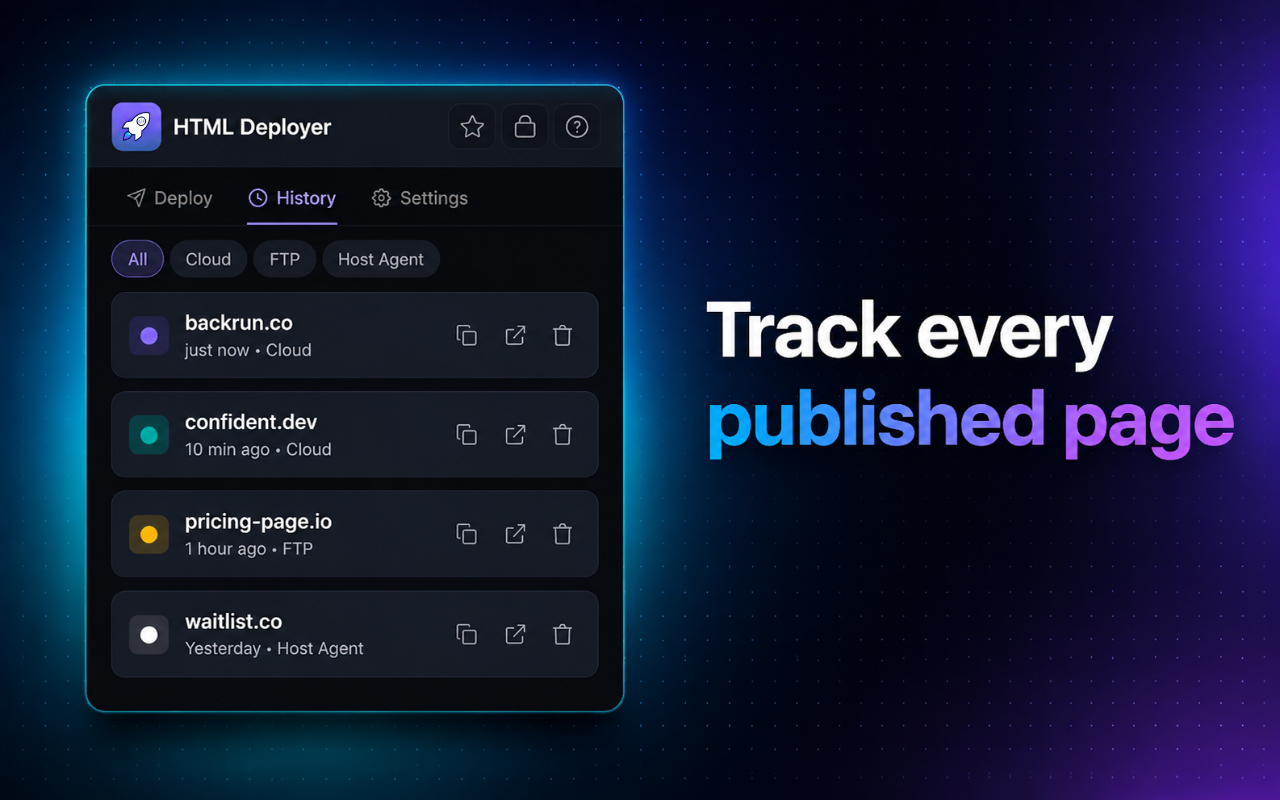
HTML Deployer extension detecting AI-generated HTML code in ChatGPT chat AI HTML Deployer HTML Deployer preview panel showing desktop, tablet and mobile view before publishing HTML Deployer deploy panel with Netlify, GitHub and FTP targets configured Setting HTML Deployer HTML Deployer deployment history

How to Deploy HTML in 5 Simple Steps

You can turn AI generated code into a live website faster than doing it manually.

1

Create HTML with ChatGPT, Claude or Gemini

Open your favorite AI tool and ask it to create the web page you need.

2

Click the Deploy button next to the HTML code

After AI creates the HTML code, the Deploy button appears on the right side of the code block. Click this button to start exporting your page.

3

Preview the page on every screen size

Check how your page looks on desktop, tablet and mobile before you publish it.

4

Choose where you want to publish

Choose Netlify, GitHub Pages, FTP hosting or your own self-hosted server.

5

Click Deploy to Host and get your website link

Click the Deploy to Host button to publish your HTML to a website. When it finishes, HTML Deployer gives you a website link and a QR code that people can scan to open the page.

Video tutorial showing how to use HTML Deployer to publish AI-generated HTML to a live website

Places Where HTML Deployer Can Publish Your Page

Choose one of the 6 publishing options for your HTML website.

Netlify

Publish to Netlify quickly with a free CDN, HTTPS and support for custom domains.

Vercel

Publish to Vercel and get fast preview URLs with no extra setup.

GitHub Pages

Publish to GitHub Pages, keep version control, and use it for free.

FTP Hosting

Upload your page directly to any shared hosting account that supports FTP.

Host Agent

Use a small PHP file on your server, so the extension does not need your FTP credentials.

Download ZIP

Export a clean .zip package and upload it manually to any host you prefer.

Useful Features for Every HTML Publisher

HTML Deployer gives developers, founders, marketers and agencies the tools they need to turn AI output into a live website.

Find AI Generated HTML Automatically

HTML Deployer checks ChatGPT, Claude and Gemini pages in real time. It finds HTML code blocks and loads them into the deploy panel, so you do not need to copy anything.

  • ✓ Works with ChatGPT, Claude and Gemini
  • ✓ Finds multiple code blocks on one page
  • ✓ Lets you preview and deploy right away
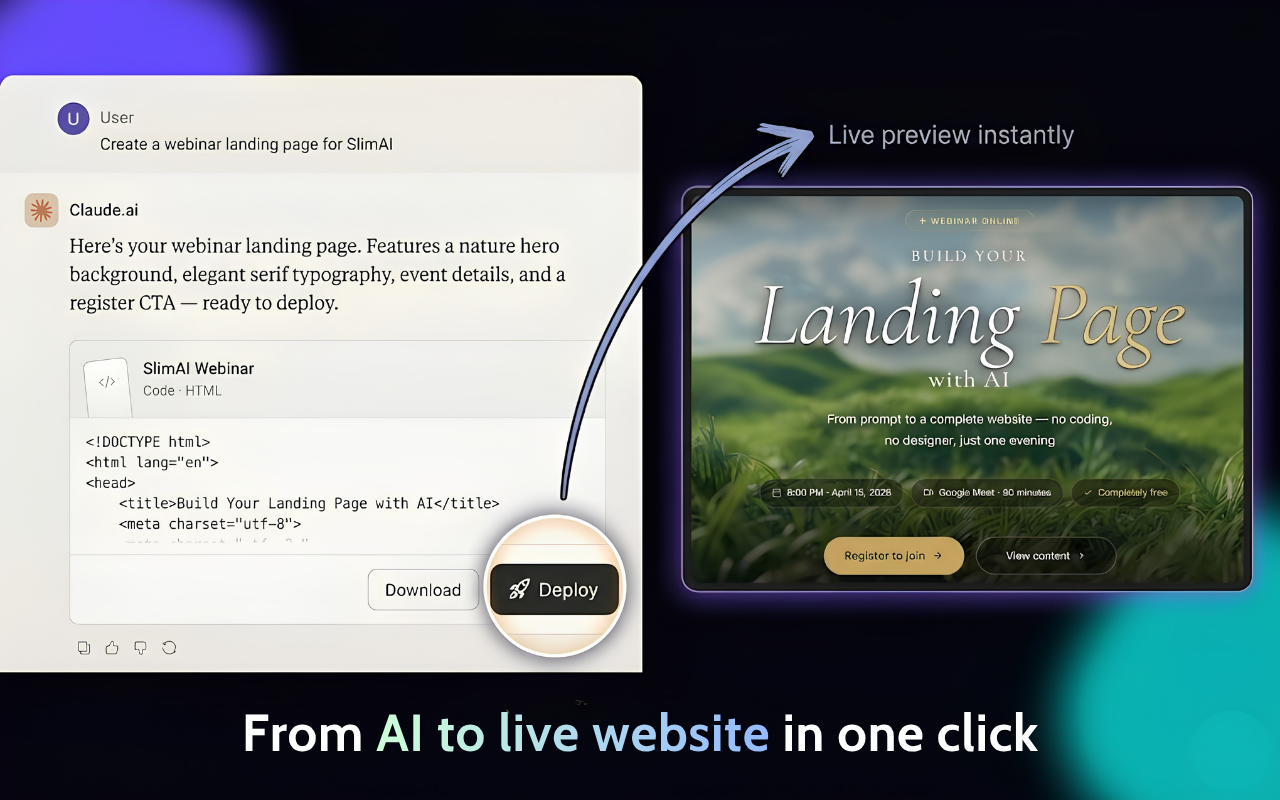
HTML Deployer extension automatically detecting AI-generated HTML code block in a Claude conversation
HTML Deployer multi-device preview showing the deployed HTML page in desktop, tablet and mobile layouts side by side

Preview Your Page Before Publishing

Review how your page looks on desktop, tablet and mobile before it goes live. You can catch layout problems before visitors see the page.

  • ✓ Preview on desktop, tablet and mobile
  • ✓ See an instant live render without a server
  • ✓ Check the layout before every deployment

Download a ZIP File or Publish Directly

Export a clean ZIP package when you want to upload manually. Click Deploy when you want a live URL in less than 10 seconds, and HTML Deployer will also create a QR code.

  • ✓ Export a ZIP file in one click
  • ✓ Publish to the cloud in seconds
  • ✓ Get a QR code after every successful publish
HTML Deployer deploy panel showing ZIP export button and one-click publish html to website options
HTML Deployer deployment history showing previously published HTML pages and live links

View your published page history

HTML Deployer saves the history of pages you have published, so you can review old links, open QR codes again, or redeploy when needed.

  • ✓ See all previously published pages
  • ✓ Reopen website links and QR codes
  • ✓ Redeploy without repeating the whole setup

Ready to publish your first HTML page?

HTML Deployer is free to install, works with ChatGPT, Claude and Gemini, and does not require setup.

Add to Chrome

What HTML Publishers Say

These users publish HTML websites with HTML Deployer every day.

HTML Deployer connects to real hosting. I generate landing pages in Claude and publish them in one click, so I no longer need to deal with FTP clients.

Marco T., Indie Developer

HTML Deployer is a useful html to website tool for marketers. I create ad landing pages in ChatGPT, and they are live on Netlify before the meeting ends.

Sarah K., Digital Marketer

Our agency publishes HTML pages for clients every day. HTML Deployer reduced our workflow from 30 minutes to under 60 seconds.

Lena B., Agency Owner

Frequently Asked Questions

Common questions about HTML Deployer are answered below.

What is HTML Deployer?

HTML Deployer is a Chrome extension that gets AI generated HTML from ChatGPT, Claude and Gemini. You can preview the page and publish it to Netlify, GitHub Pages, FTP hosting or your own server from one panel.

How do I deploy HTML to a website with this tool?

Install the extension and generate HTML in an AI chat. Click the HTML Deployer icon, choose where you want to publish, and press Deploy. Your page usually goes live in under 10 seconds.

Which AI platforms does HTML Deployer support?

HTML Deployer works with ChatGPT, Claude and Google Gemini, which are popular AI platforms for creating HTML and web pages.

Can I publish HTML to Netlify for free?

Yes. HTML Deployer can connect to Netlify's free tier and publish your HTML page with a free Netlify subdomain, HTTPS and a global CDN.

Does it support deploying to my own FTP hosting?

Yes. Add your FTP details in Settings, and HTML Deployer can upload your page to a shared hosting account that you own, including cPanel, WHM or a standard FTP host.

What if I just want to download the HTML file?

Use the ZIP Export feature. HTML Deployer packages your page as a clean .zip file that you can download and upload manually to any host.

Is my HTML code safe? Does it get stored?

Your HTML stays on your device until you click Deploy. When you click Deploy, HTML Deployer sends it only to the publishing target you chose. Nothing is stored on our servers.

Start Publishing HTML Websites Today

Use HTML Deployer to turn AI generated code into live websites in seconds. It is built for developers, founders, marketers and agencies.

Add to Chrome

No account is required. Your work stays private.
