Chrome Extension · Free to Install

The Grok to PDF Chrome Extension

Turn any Grok conversation into a clean, downloadable PDF in one click. Headings, lists, tables, code blocks, and images stay exactly as they appeared — no copying, no pasting, no reformatting.

⭐ Built specifically for exporting Grok conversations to PDF

How to Export Grok to PDF

Four simple steps to turn any Grok conversation into a polished, downloadable PDF file.

  1. 1

    Install the Grok to PDF extension

    Install it from the Chrome Web Store in a few seconds.

  2. 2

    Open your Grok conversation

    Start a new chat with Grok or open one you already have.

  3. 3

    Choose full chat or selected messages

    Export the entire conversation, or pick only the messages you need.

  4. 4

    Download your PDF

    Get a clean, ready-to-share PDF with formatting, tables, and code preserved.

Why Export Grok Conversations to PDF

A PDF is the easiest way to share, print, or archive a Grok conversation without losing formatting.

Easy to share

Send a Grok conversation to a colleague or client without asking them to open Grok or scroll through a chat thread.

Print-ready

Get a properly paginated document you can print or attach to a report, no manual reformatting needed.

Permanent archive

Keep a stable, offline copy of important Grok answers that won't change or disappear from your chat history.

Everything You Need to Export Grok to PDF

A focused, reliable PDF export workflow built specifically for Grok conversations.

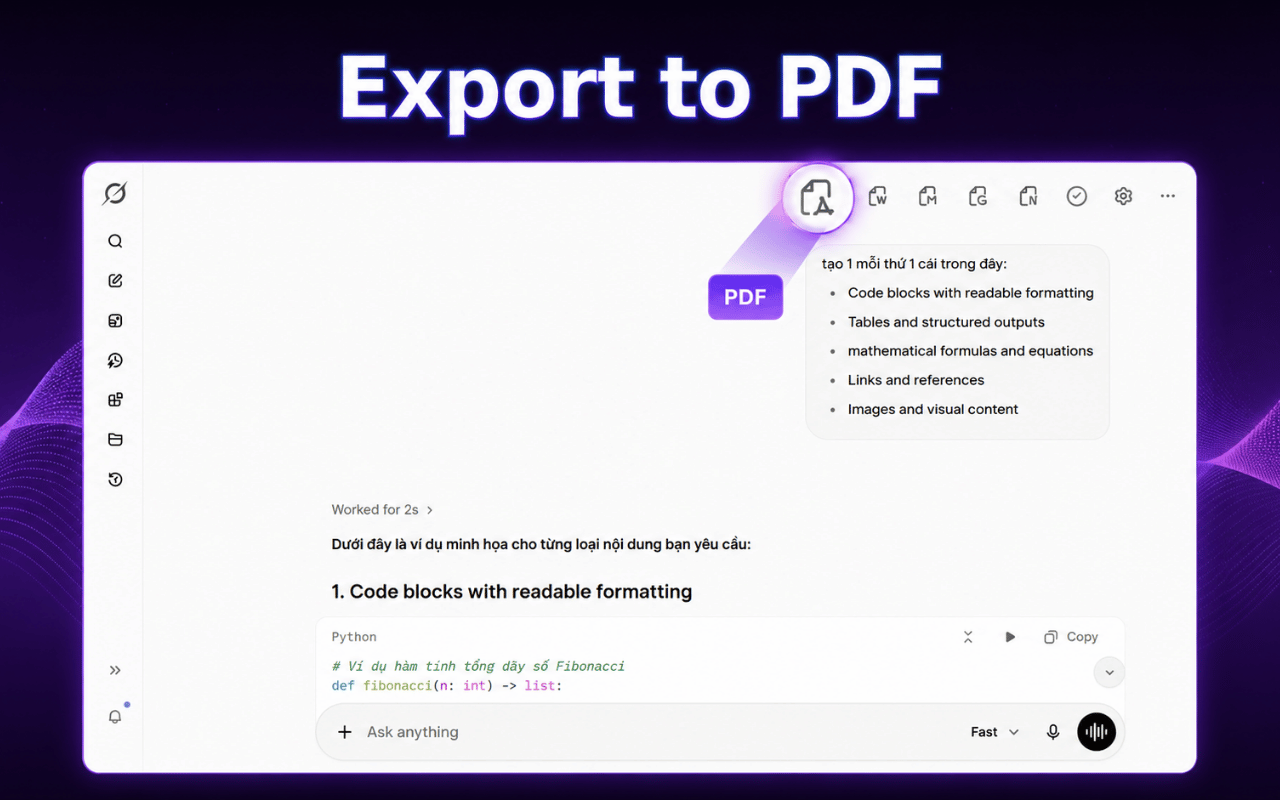
One-Click PDF Export

Export a full Grok conversation to PDF the moment you finish chatting. No manual selection, no copy-and-paste, no formatting cleanup afterward.

  • ✓ Capture the entire thread in one click
  • ✓ Skip the copy-and-paste workflow
  • ✓ Ready to download in seconds
Grok to PDF Chrome Extension exporting a Grok conversation to PDF
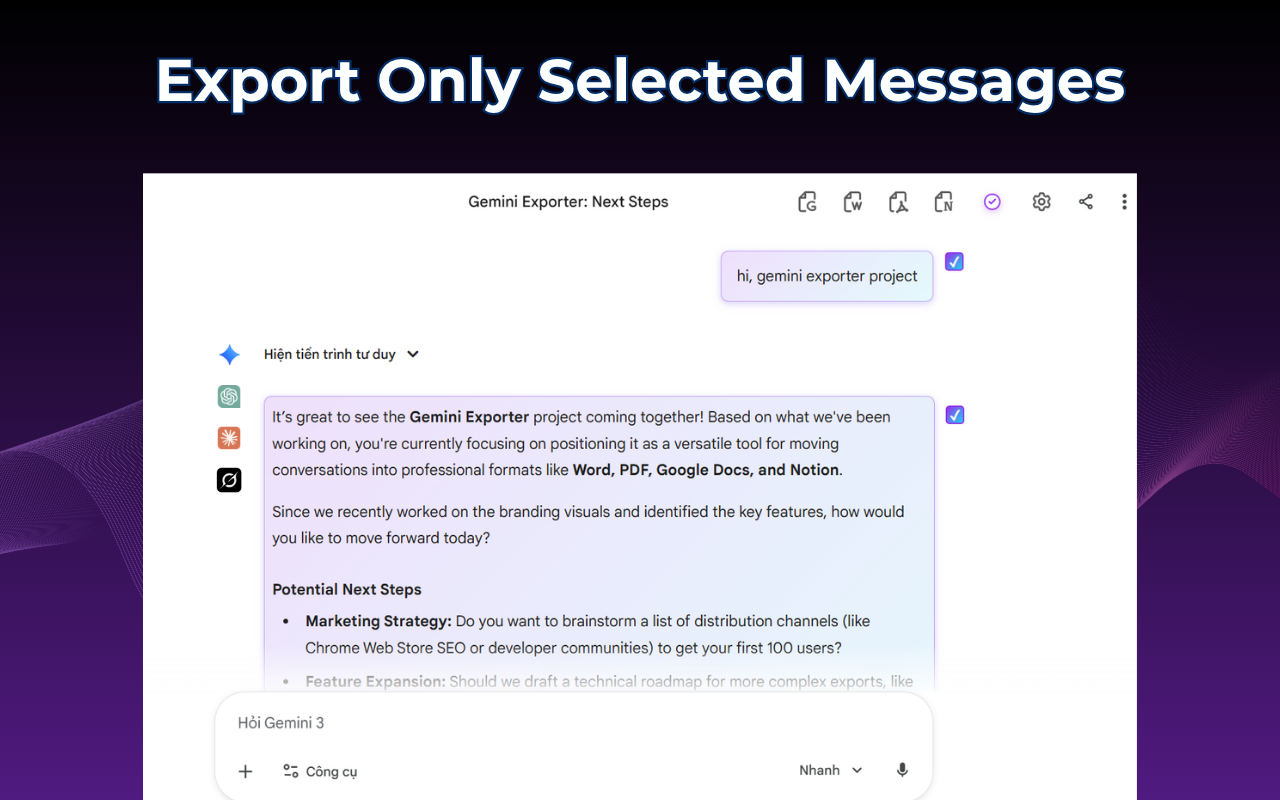
Selecting specific Grok messages before exporting to PDF

Export Only What You Need

Don't need the whole thread? Select just the messages you want — a final answer, a useful explanation, or a specific code snippet — and export only those to PDF.

  • ✓ Choose individual messages
  • ✓ Keep only the relevant content
  • ✓ Create shorter, focused PDFs

Formatting Stays Intact

Headings, numbered and bulleted lists, tables, code blocks, and images are preserved exactly as they appeared in Grok — not flattened into plain, hard-to-read text.

  • ✓ Tables and lists render correctly
  • ✓ Code blocks keep their structure
  • ✓ Images stay embedded in the PDF
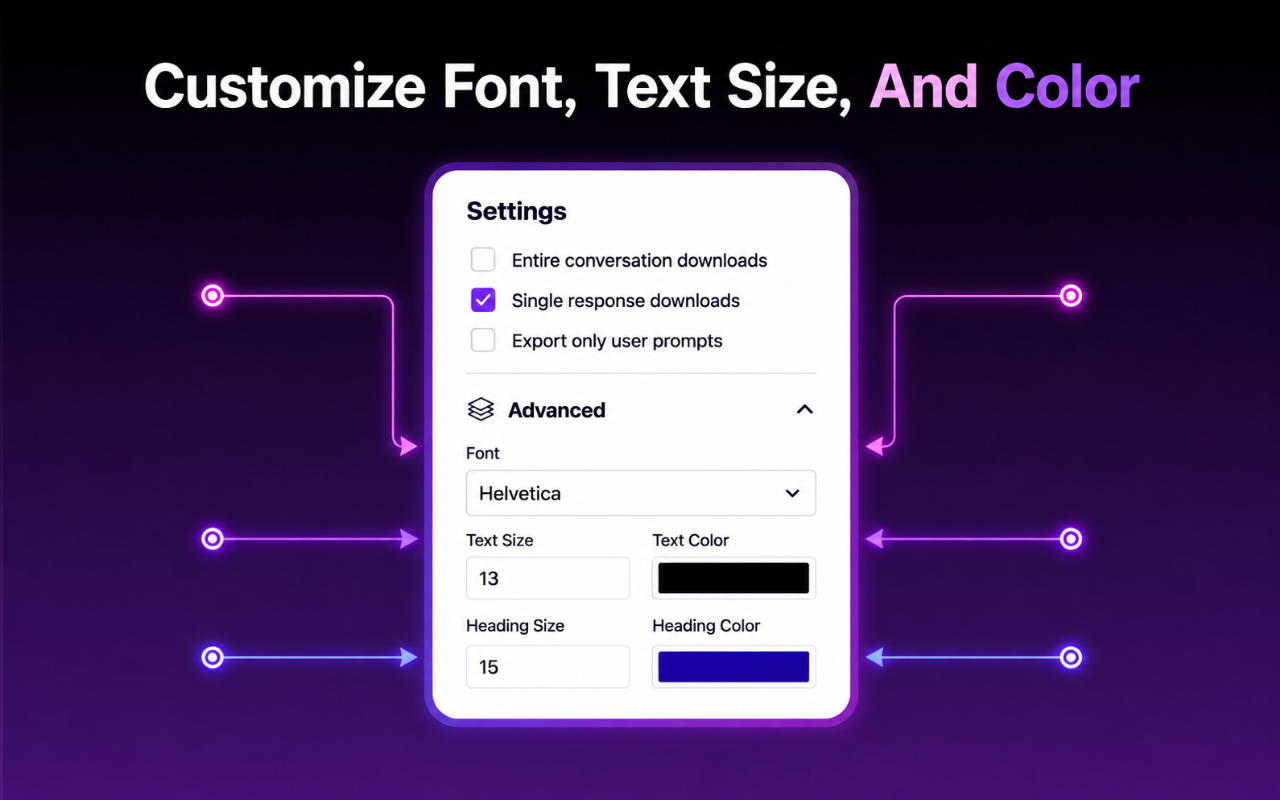
Customizing font, size and color before exporting Grok to PDF

Ready to export your first Grok chat to PDF?

Install the extension and turn any Grok conversation into a clean PDF in seconds.

Install Grok to PDF

Who Exports Grok to PDF

Anyone who uses Grok for real work needs a reliable way to save answers outside the chat window.

Researchers & Analysts

Turn a Grok research session into a citable PDF you can attach to a report.

Professionals & Teams

Share a Grok-generated plan or brief with clients as a polished PDF attachment.

Students & Academics

Save study explanations from Grok as PDF for offline review before exams.

Developers

Archive debugging or architecture discussions with Grok as a readable PDF reference.

Writers

Save drafts and brainstorms from Grok as PDF before moving them into your writing tool.

Anyone Building an Archive

Keep a personal library of valuable Grok conversations as searchable PDF files.

What Users Say

Recent feedback from people exporting Grok conversations to PDF.

"I use Grok for quick research and needed a fast way to save the answers as PDF for my team. This does exactly that, in one click."

Daniel Kruger · Market Analyst

"The PDF keeps my code blocks readable, which most export tools mess up. Exactly what I needed for archiving debugging sessions."

Aisha Rahman · Backend Developer

"Simple, fast, and the PDFs look clean enough to send straight to clients. No more manual copy-pasting into Word first."

Laura Vance · Freelance Consultant

Frequently Asked Questions

Clear answers about exporting Grok conversations to PDF.

What is the Grok to PDF Chrome Extension?

It is a Chrome extension that exports your Grok conversations to a clean, downloadable PDF file in one click, keeping the original formatting intact.

Is the Grok to PDF extension free?

Yes. The free plan includes 7 full conversation exports and 10 selected-message exports per month.

Does it keep tables, code blocks, and images in the PDF?

Yes, headings, lists, tables, code blocks, and images from your Grok conversation are preserved in the exported PDF.

Can I export just part of a Grok conversation to PDF?

Yes, you can select individual messages instead of exporting the entire conversation.

Do I need an account to export Grok to PDF?

No separate account is required to export to PDF.

Is my Grok conversation uploaded anywhere during export?

The extension only accesses the content required to generate the PDF you request. Review the official Privacy Policy for full details on processing, storage, and permissions.

Turn Your Next Grok Chat Into a PDF

Install the Grok to PDF Chrome Extension and export any conversation into a clean, shareable document in seconds.

Install Grok to PDF on Chrome

Available on Chrome · No separate account required · Your conversations stay private