Chrome Extension · Free to Install

The ChatGPT to Markdown Extension

Export any ChatGPT conversation as clean, developer-ready Markdown in one click. Headings, lists, tables, and fenced code blocks convert into proper .md syntax — no HTML clutter, no manual cleanup.

⭐ Built for docs, wikis, READMEs, and note-taking apps

How to Export ChatGPT to Markdown

Four simple steps to turn any ChatGPT conversation into a clean .md file.

  1. 1

    Install the extension

    Install ChatGPT to Markdown from the Chrome Web Store.

  2. 2

    Open your ChatGPT conversation

    Start a new chat or open one you already have.

  3. 3

    Choose full chat or selected messages

    Export the entire thread, or pick only the messages you need.

  4. 4

    Download your .md file

    Get a clean Markdown file, ready to drop into your docs or repo.

Why Export ChatGPT to Markdown

Markdown is the plain-text format developers and technical writers actually use — portable, diffable, and free of proprietary formatting.

Git & version control friendly

Plain-text .md files diff cleanly in Git, so you can track changes to your notes and docs over time.

Drop straight into docs

Paste directly into GitHub READMEs, static site generators, or internal wikis with no reformatting.

Works everywhere

Standard Markdown syntax opens cleanly in Notion, Obsidian, VS Code, and any Markdown-based tool.

Everything You Need to Export ChatGPT to Markdown

A focused export workflow that treats your ChatGPT conversations like source content, not a formatting mess.

One-Click Markdown Export

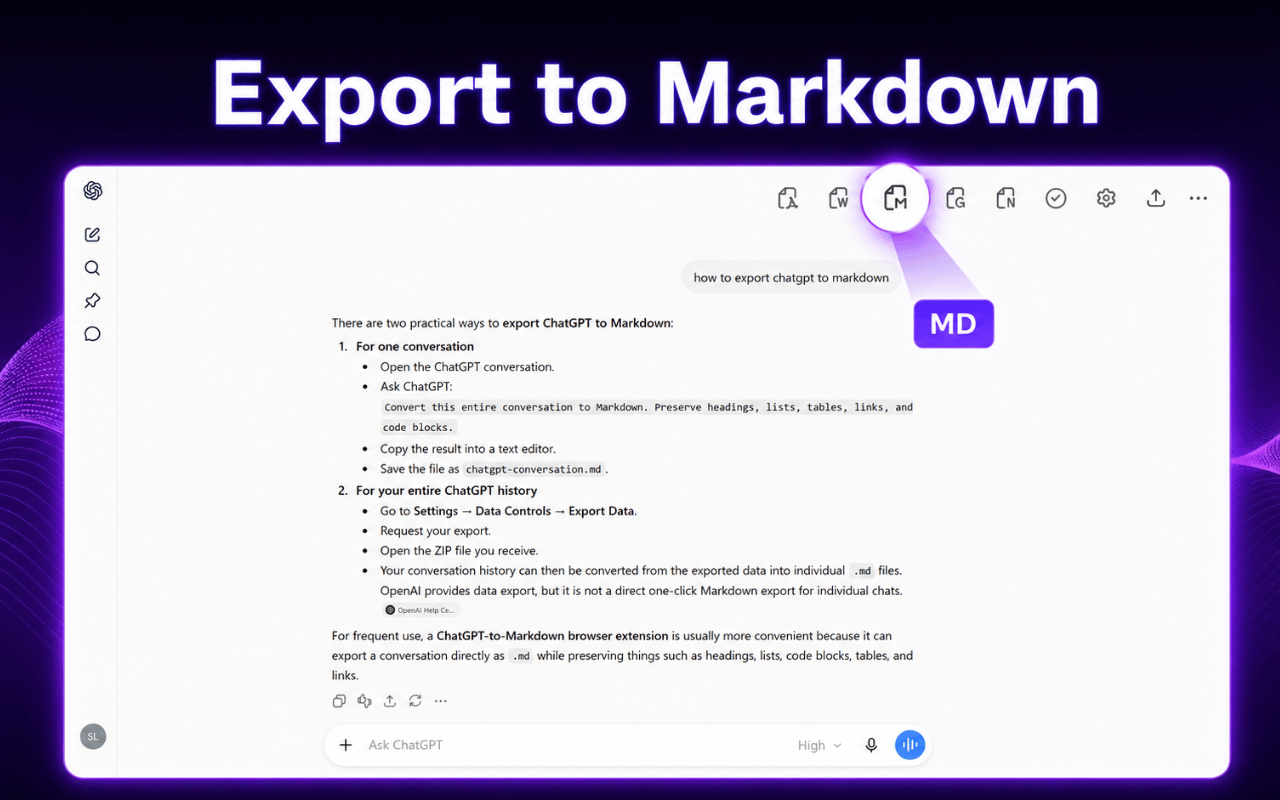
Export a full ChatGPT conversation to a .md file the moment you finish chatting. No manual selection, no copy-and-paste, no cleanup afterward.

  • ✓ Capture the entire thread in one click
  • ✓ Skip the copy-and-paste workflow
  • ✓ Ready to download in seconds
ChatGPT to Markdown Extension exporting a ChatGPT conversation to a .md file
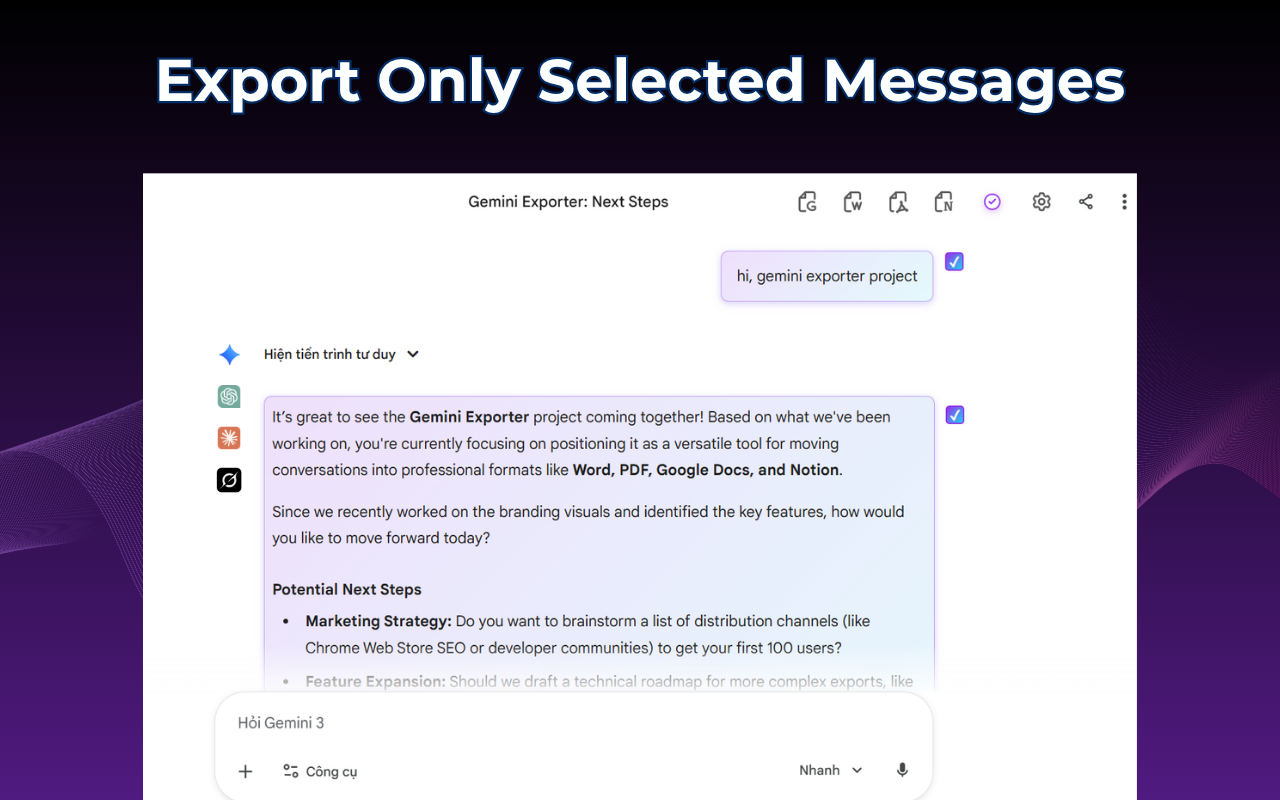
Selecting specific ChatGPT messages before exporting to Markdown

Export Only What You Need

Don't need the whole thread? Select just the messages you want — a final answer, a helpful explanation, or a specific code snippet — and export only those to Markdown.

  • ✓ Choose individual messages
  • ✓ Keep only the relevant content
  • ✓ Create shorter, focused .md files

Proper Markdown Syntax, Not Guesswork

Headings become # tags, code turns into fenced ``` blocks with language hints, and tables convert to valid Markdown table syntax — every time.

  • ✓ Fenced code blocks with language tags
  • ✓ Proper heading levels and lists
  • ✓ Markdown tables that actually render
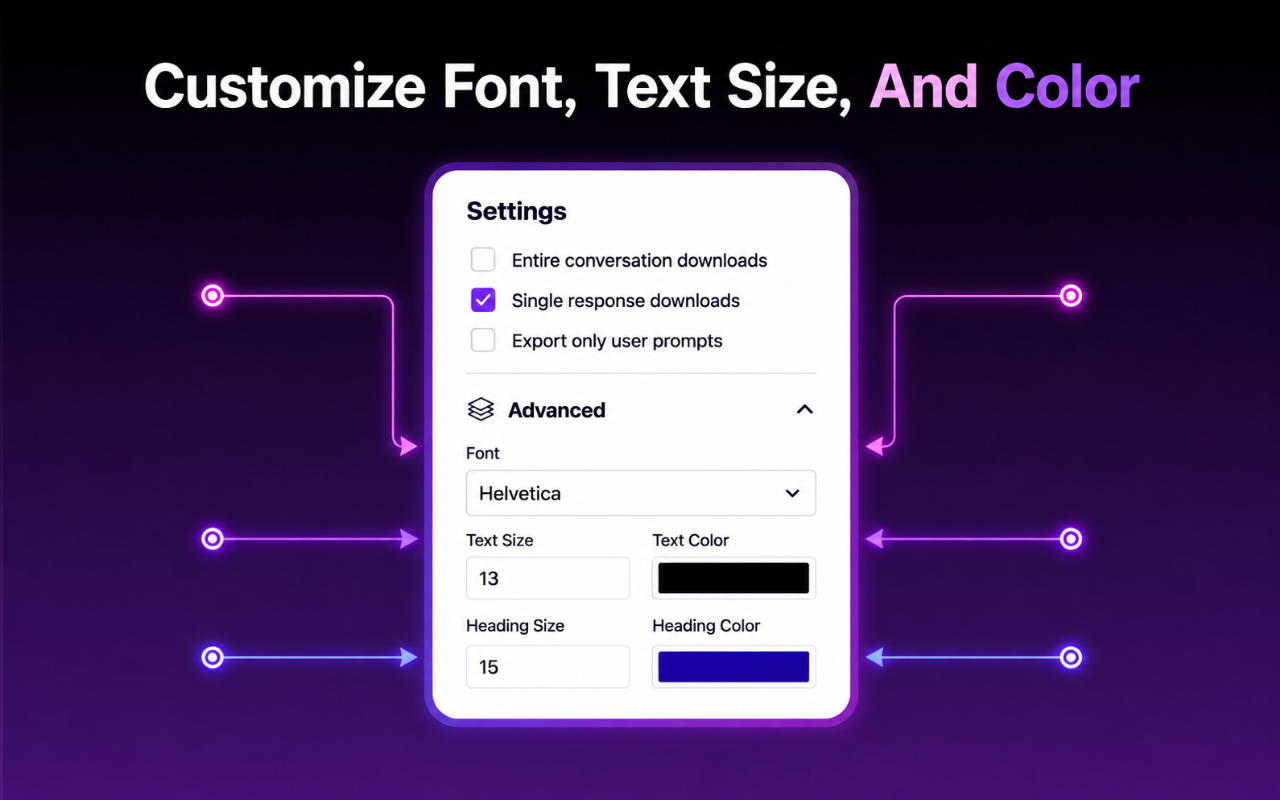
Customizing export settings before saving ChatGPT to Markdown

Ready to export your first chat to Markdown?

Install the extension and turn any ChatGPT conversation into a clean .md file in seconds.

Install ChatGPT to Markdown

Who Exports ChatGPT to Markdown

Anyone who treats ChatGPT output as source content — not throwaway text — needs a proper Markdown export.

Developers & Engineers

Save code discussions and architecture decisions as Markdown files inside your repo.

Technical Writers

Turn AI-drafted explanations into documentation source files without reformatting.

Product & Engineering Teams

Move spec discussions and decisions from ChatGPT straight into your team wiki.

Obsidian & Notion Users

Bring ChatGPT conversations into your personal knowledge base as clean, linkable notes.

Students & Researchers

Keep lightweight, searchable study notes free of heavy formatting or file bloat.

Open Source Maintainers

Turn AI-assisted troubleshooting into README snippets or contributor documentation.

What Users Say

Recent feedback from people exporting ChatGPT conversations to Markdown.

"The code blocks actually keep their language tags after export. I drop the .md straight into our internal docs repo without touching a thing."

Jonas Weber · Backend Engineer

"I moved my entire ChatGPT research history into Obsidian using this. Tables and headings all render correctly, which surprised me."

Renee Castillo · Technical Writer

"Simple and fast. Selecting just the messages I need before exporting saves me from cleaning up half a conversation I don't want."

Tomás Ferreira · Open Source Maintainer

Frequently Asked Questions

Clear answers about exporting ChatGPT conversations to Markdown.

What is the ChatGPT to Markdown Extension?

It is a Chrome extension that exports your ChatGPT conversations to clean Markdown (.md) files in one click, ready for docs, wikis, or Git repositories.

Is the ChatGPT to Markdown Extension free?

Yes. The free plan includes 7 full conversation exports and 10 selected-message exports per month.

Does it preserve code blocks and syntax formatting?

Yes, fenced code blocks, inline code, headings, lists, and tables are converted into proper Markdown syntax.

Can I export just part of a ChatGPT conversation to Markdown?

Yes, you can select individual messages instead of exporting the entire conversation.

Can I use the exported Markdown in GitHub, Notion, or Obsidian?

Yes, the output is standard Markdown, so it works in GitHub READMEs, static site generators, Notion, Obsidian, and any Markdown-based tool.

Is my ChatGPT conversation uploaded anywhere during export?

The extension only accesses the content required to generate the Markdown file you request. Review the official Privacy Policy for full details on processing, storage, and permissions.

Turn Your Next ChatGPT Chat Into Markdown

Install the ChatGPT to Markdown Extension and export any conversation into a clean .md file in seconds.

Install ChatGPT to Markdown on Chrome

Available on Chrome · No separate account required · Your conversations stay private