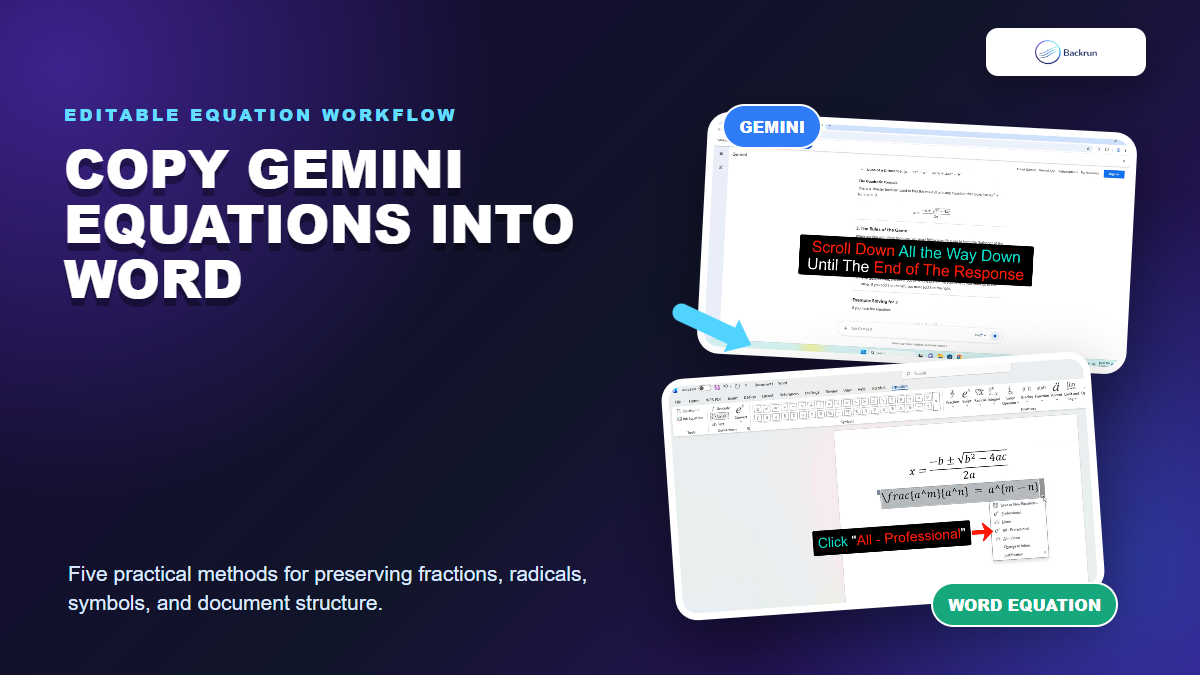
Gemini can display fractions, radicals, matrices, and other notation cleanly in a browser, yet a normal paste may flatten the formula in Microsoft Word. This guide explains how to copy equations from Gemini to Word while keeping the result readable and, whenever possible, editable.
Why Gemini Equations Break When Pasted Into Word
Equation formatting can change when browser math is pasted into a regular Word paragraph.
Gemini often renders mathematical notation with web technologies such as LaTeX-style source, MathML, or browser formatting. Word uses its own equation objects, so the browser's visual structure does not always survive a normal clipboard transfer.
The symptom tells you which recovery method to choose:
The equation becomes plain text: Paste its LaTeX into a Word equation zone.
Fractions become slash characters: Convert the equation from Linear to Professional format.
Only one equation is needed: Use the manual LaTeX or MathML method.
The response contains many equations: Export or convert the complete document instead.
The visual result matters more than editing: Use an image only as a last resort.
Practical check: Click the equation in Word. A native equation displays the Equation tab and can switch between Linear and Professional views. A screenshot or plain paragraph cannot.
Always verify mathematical meaning after conversion. A missing exponent, brace, or minus sign can make a polished equation incorrect.
How to Copy Equations From Gemini to Word With LaTeX
Paste cleaned LaTeX into an equation zone, then use Word Convert to build professional math.
The manual LaTeX workflow is the most dependable method for one or two formulas. It takes more steps than a normal paste, but the final expression remains editable with Word's equation tools.
Ask Gemini for the formula in LaTeX if the response does not expose a clean source version.
Copy only the equation source, not the surrounding explanation.
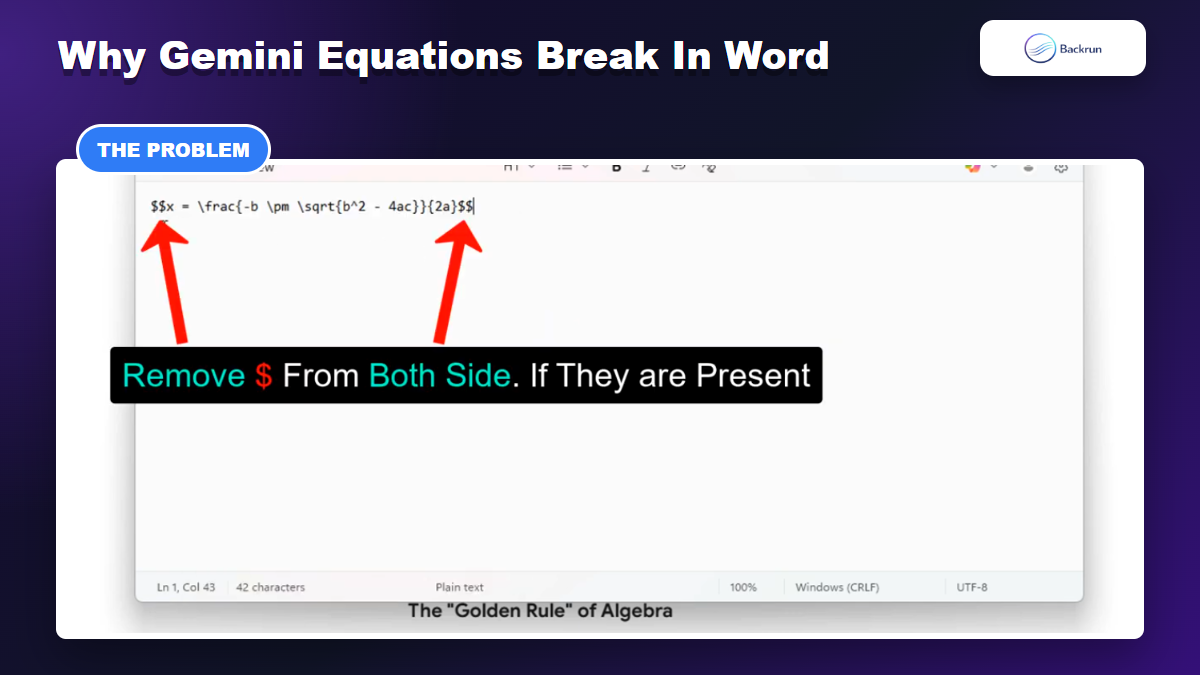
Remove outer delimiters such as $$ or [ and ] when Word does not recognize them.
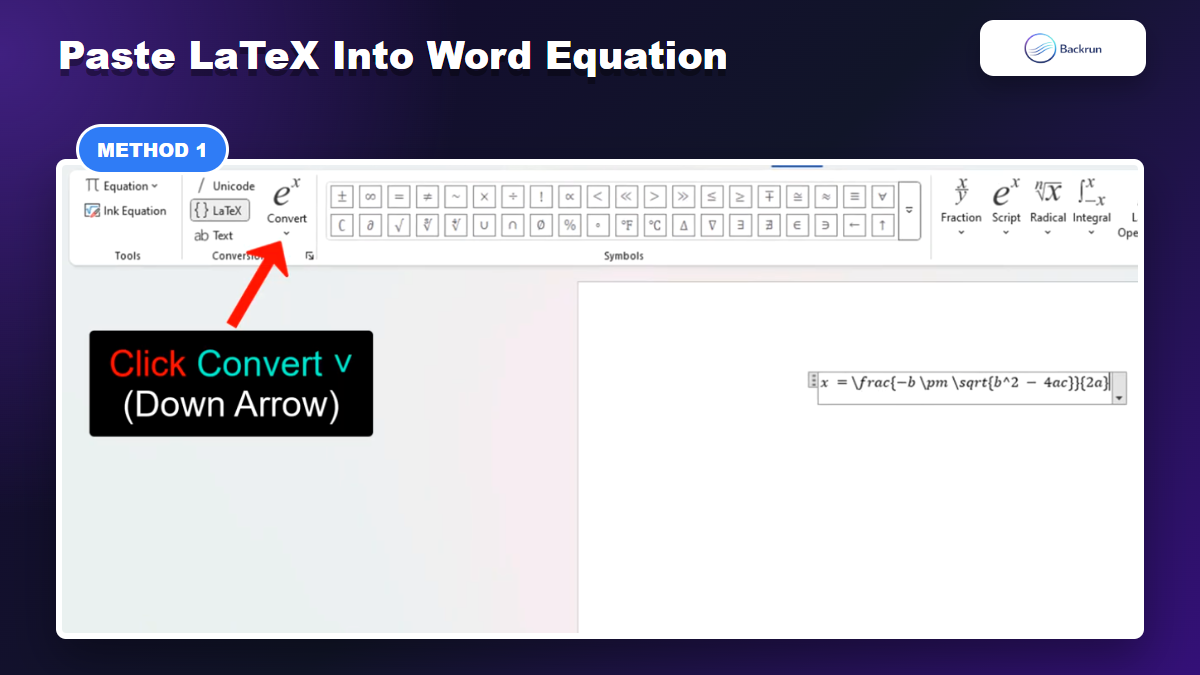
Open an equation zone in Word with Alt + = on Windows or Insert > Equation.
Select LaTeX input on the Equation tab when that option is available.
Paste the source and choose Convert > Professional.
For example, Word can convert a cleaned expression such as x = rac{-b pm sqrt{b^2 - 4ac}}{2a} into a stacked quadratic formula. If conversion fails, check unmatched braces and unsupported commands first.
Microsoft's equation documentation describes the official Insert Equation and conversion controls. Features can vary between desktop Word, Word for the web, and older releases.
Export a Full Gemini Response Before Editing in Word
A whole-document workflow is useful when the response contains many equations and paragraphs.
A response containing several pages of explanations and equations is inefficient to rebuild formula by formula. A whole-response workflow can preserve headings, paragraphs, lists, and math in one document, after which you only correct the parts Word did not interpret properly.
One approach is to capture the Gemini response as Markdown, send that content through a document converter, and download a DOCX file. The workflow is useful for lecture notes, worked examples, and research drafts.
Scroll through the complete Gemini response so every section is loaded.
Capture or export the response in Markdown with a compatible browser tool.
Open the Markdown in a DOCX converter that supports mathematical notation.
Download the Word document and open it in desktop Word.
Inspect every equation and increase equation font size only after selecting the equation object.
The limitation is dependency on multiple third-party tools. Formatting quality and privacy practices differ, so avoid sending confidential prompts or unpublished data to an unfamiliar conversion service.
For a broader conversation export workflow, Backrun's guide to exporting Gemini chat compares additional formats and preservation concerns.
Use MathML When Word Rejects the LaTeX
MathML can preserve the visual structure when direct LaTeX conversion is unreliable.
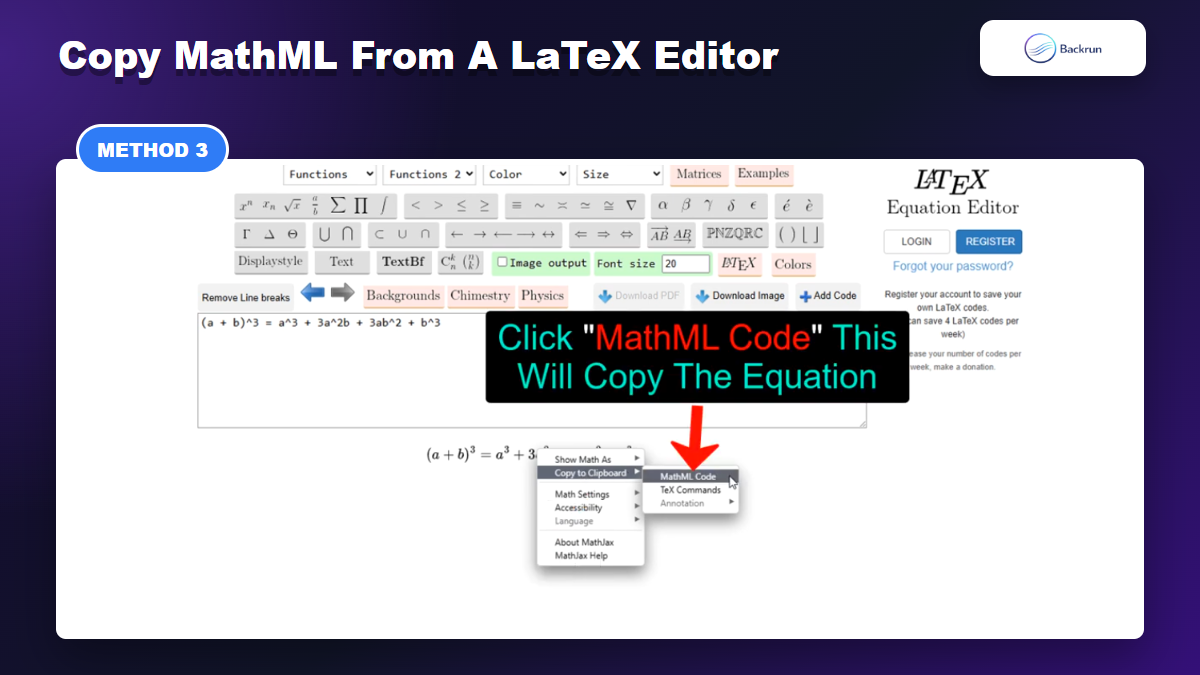
Some LaTeX commands do not convert cleanly in Word even after the delimiters are removed. An online LaTeX editor can render the formula first and expose a MathML copy option, giving Word a more structured representation of the equation.
Copy the LaTeX source from Gemini and paste it into a reputable equation editor.
Confirm the rendered formula matches the intended equation before copying anything.
Open the rendered equation's copy menu and choose MathML when supported.
Paste into a Word equation zone, then confirm Word treats the result as a native equation.
Compare the final symbols with the Gemini response.
This method is useful for complex structures, but it introduces another website into the workflow. Do not paste sensitive equations or proprietary research into a public converter without reviewing its privacy terms.
If MathML paste creates an image instead of an equation, try desktop Word, use Word's LaTeX input directly, or move to a full-document conversion method.
Convert a DOCX or TXT File in One Batch
Document conversion tools can process many LaTeX expressions in one batch.
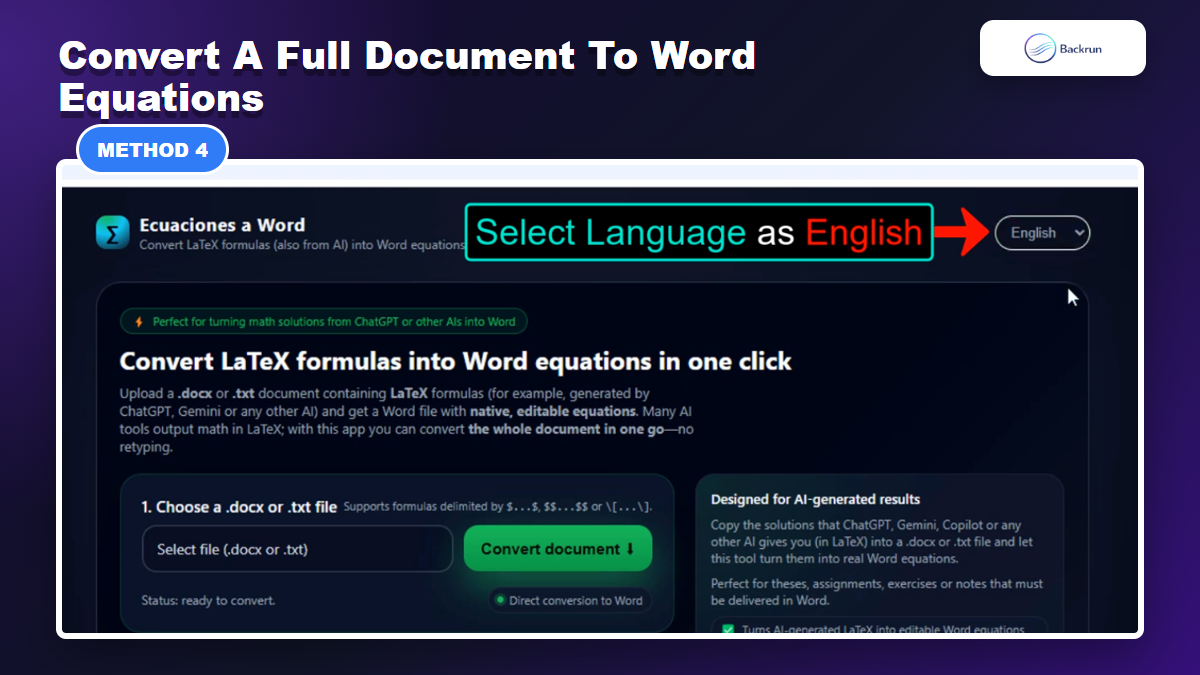
Batch conversion is designed for documents where Gemini's output already contains many LaTeX expressions. Instead of fixing each formula manually, save the response to a DOCX or TXT file and use a converter that replaces supported LaTeX blocks with native Word equations.
Copy the Gemini response into a clean DOCX or TXT document.
Keep equation delimiters consistent throughout the file, such as single-dollar inline math and double-dollar display math.
Upload the file to a document-to-equation converter.
Select the correct language or conversion settings.
Download the converted DOCX and verify every equation in Word.
Batch conversion saves time on long assignments and technical notes, but it can also repeat one formatting error across the entire document. Test a short sample before processing the final file.
Accuracy note: Never assume a successful download means a successful conversion. Check fractions, matrices, limits, accents, and equation numbering individually.
Use Chat Exporter for a Direct Gemini-to-Word Workflow
Chat Exporter creates a Word file directly from a Gemini conversation and reduces manual cleanup.
Chat Exporter adds a direct export workflow for Gemini conversations. The current Chrome Web Store listing describes Word, PDF, Google Docs, and Notion export, making it the simplest option when you want the complete response rather than one isolated equation.
Install Chat Exporter from the Chrome Web Store.
Open the Gemini conversation containing the equations.
Open the exporter controls and choose the content you need.
Select Microsoft Word as the output format.
Download the DOCX and verify the equation objects in Word.
This method removes the Markdown capture and separate conversion steps. It is most useful for repeated exports, long chats, and conversations that mix equations with headings, images, lists, or code.
Method
Best for
Editability
Main limitation
Word Equation with LaTeX
One or two formulas
High
Manual cleanup per equation
Markdown and DOCX conversion
Full notes with many sections
Varies
Multiple tools and privacy considerations
MathML copy
LaTeX that Word rejects
Usually high
Depends on editor and Word compatibility
Batch document converter
Many LaTeX expressions in one file
High when supported
One syntax error can affect many equations
Chat Exporter
Frequent full-chat exports
High
Requires a Chrome extension
Why does Word show the LaTeX code instead of an equation?
The code was pasted into a normal paragraph or Word is using the wrong input mode. Create an equation zone, select LaTeX input, paste the cleaned source, and convert it to Professional format.
Should I copy a Gemini equation as an image?
Use an image only when visual fidelity matters and editing is unnecessary. Images are harder to search, resize consistently, reference, and update.
Can Word edit equations exported from Gemini?
Yes, when the workflow creates native Word equation objects. Click an equation and confirm the Equation tab appears. If it behaves like a picture, it is not editable math.
For isolated formulas, Word's LaTeX equation zone provides the most control. For long conversations or repeated work, direct export is the cleaner way to copy equations from Gemini to Word without rebuilding every formula.