Chrome Extension · Free to Install

The AI Exporter Chrome Extension for ChatGPT, Gemini, Claude & Grok

Export any AI conversation to PDF, Word, Google Docs, Notion, or Markdown in a few clicks. Keep headings, lists, tables, code blocks, formulas, and images organized without copying and pasting.

⭐ One extension for every AI chat you use

How to Save AI Conversations

Use these five steps to save a conversation from ChatGPT, Gemini, Claude, or Grok as a PDF, Word document, Google Doc, Notion page, or Markdown file with the AI Exporter Chrome Extension.

  1. 1

    Install the AI Exporter Chrome Extension

    Install AI Exporter from the Chrome Web Store.

  2. 2

    Open ChatGPT, Gemini, Claude, or Grok

    Go to the AI platform you use — ChatGPT, Gemini, Claude, or Grok.

  3. 3

    Start or open a conversation

    Start a new conversation or open an existing chat you want to export.

  4. 4

    Customize the export (Optional)

    Customize the font family, font size, and text color.

  5. 5

    Export the conversation

    Choose to export the full conversation or selected messages to PDF, Word, Google Docs, Markdown, or Notion.

Choose an Export Format

Select the format that fits how you want to edit, share, publish, or archive the conversation.

PDF

Save the conversation as a clean PDF for sharing, printing, or archiving.

Word

Create an editable .docx file for revisions, notes, and further formatting.

Google Docs

Send the conversation to Google Docs to collaborate or keep editing online.

Notion

Add the conversation to Notion as an organized, searchable page.

Markdown

Export clean Markdown for docs, publishing systems, and dev workflows.

Code blocks, formulas, tables, and images are kept in the exported document.

Useful Features for Saving AI Conversations

One consistent export workflow for every AI platform you use — save a complete thread, export selected messages, and adjust the document before downloading.

One Extension, Four AI Platforms

Export conversations from ChatGPT, Gemini, Claude, and Grok without switching tools. A single consistent workflow works across every supported AI assistant.

  • ✓ ChatGPT, Gemini, Claude & Grok in one extension
  • ✓ Works with standard and advanced AI accounts
  • ✓ Use one consistent export interface
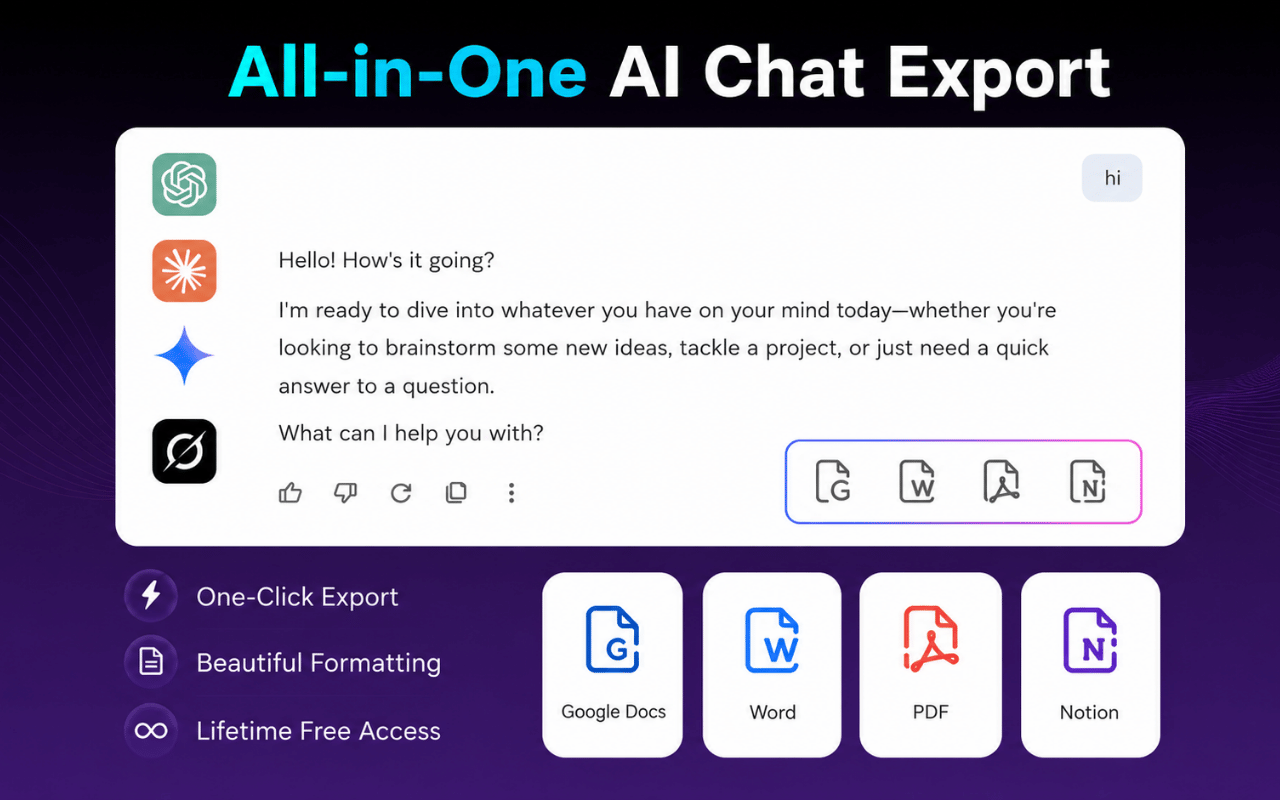
AI Exporter Chrome Extension exporting ChatGPT, Gemini, Claude and Grok conversations to PDF and Word
Saving an entire AI conversation with the AI Exporter Chrome Extension in one click

Save the Full Conversation in One Click

Export the entire conversation without selecting messages one by one. One click captures the full thread, ready to save as PDF, Word, Google Docs, Notion, or Markdown.

  • ✓ Save the whole conversation instantly
  • ✓ No manual selection required
  • ✓ Skip the copy-and-paste workflow

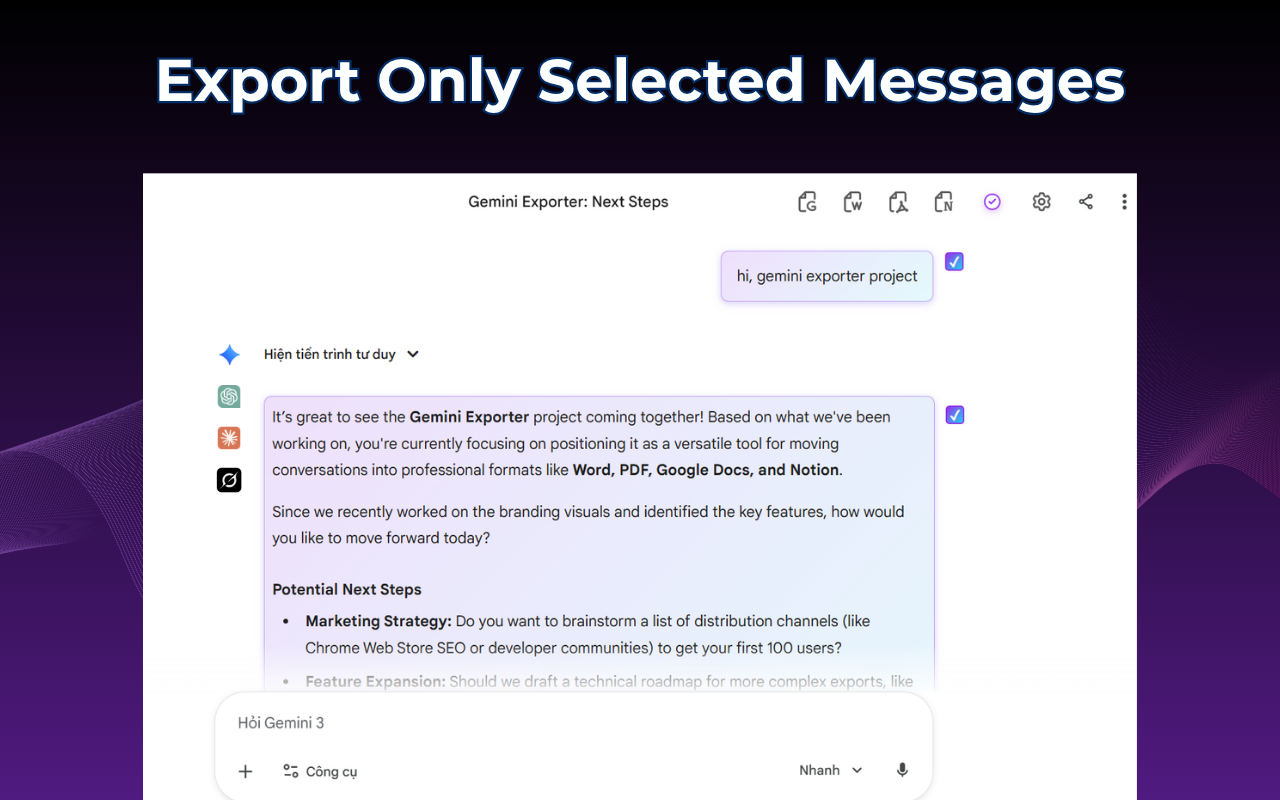
Export Only the Messages You Need

Select individual messages or sections when you do not need the entire conversation. This works well for saving a final answer, a useful explanation, or a specific code block.

  • ✓ Choose individual messages
  • ✓ Keep only the relevant content
  • ✓ Create shorter, focused documents
Selecting specific messages to export from an AI conversation with the AI Exporter Chrome Extension
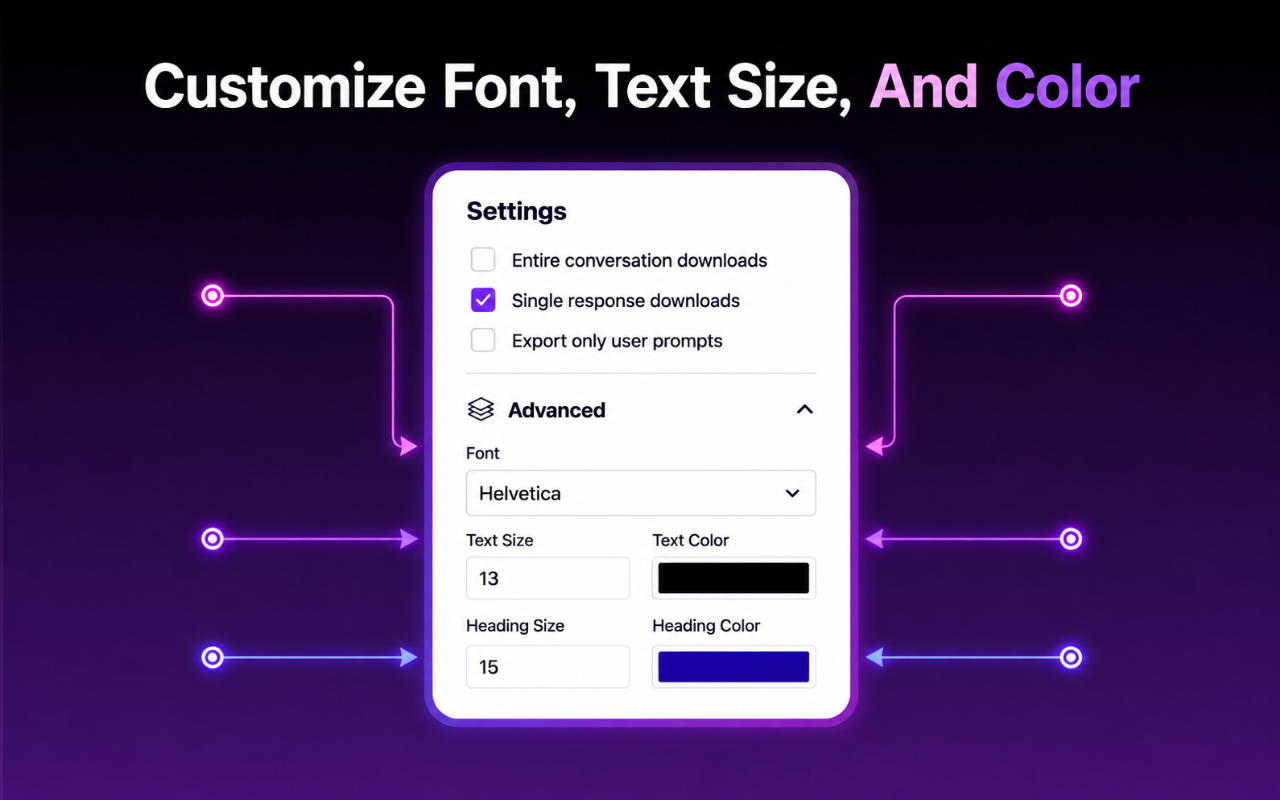
Customizing font, size and color before exporting an AI conversation with the AI Exporter Chrome Extension

Customize the Export

Set the font family, text size, and text color before exporting. The result is easier to read and can match the style of your notes, reports, or internal documents.

  • ✓ Choose fonts and text colors
  • ✓ Prepare documents for work or sharing
  • ✓ Use the same settings across supported formats

Ready to save an AI conversation?

Install the AI Exporter Chrome Extension and export a full conversation or selected messages from ChatGPT, Gemini, Claude, or Grok.

Install AI Exporter

Built for the Way You Work

From code sessions to research notes, the AI Exporter Chrome Extension fits into workflows across roles and teams.

Developers & Engineers

Save code generation, debugging, and architecture discussions to Markdown, Word, or Notion.

Writers & Editors

Move outlines, drafts, and edited paragraphs into Word or Google Docs and keep editing.

Researchers & Analysts

Archive research summaries and analyses to PDF, or build a searchable base in Notion.

Students & Academics

Save study notes, explanations, and summaries as PDF for offline review.

Professionals & Teams

Turn project plans, strategies, and meeting prep into shared Google Docs or Notion pages.

Knowledge Management

Build a personal or team library from valuable AI conversations across every platform.

What AI Exporter Users Say

Recent feedback from people who use the extension for research, documentation, and everyday work.

"I switch between ChatGPT and Claude constantly, and having one exporter for both saves me from juggling separate tools. The Markdown export drops straight into our docs repo."

Priya Nair · Software Engineer

"Being able to select just the messages I need before exporting to Notion has cut my research write-ups down by half. Clean, fast, and it just works."

Marco Bellini · Market Researcher

"Grok support was the reason I installed it, but the Word export with custom fonts is what made me keep it. Great for turning chats into client-ready reports."

Alicia Fowler · Freelance Consultant

Frequently Asked Questions

Clear answers about exporting AI conversations with the AI Exporter Chrome Extension.

What is the AI Exporter Chrome Extension?

The AI Exporter Chrome Extension lets you export conversations from ChatGPT, Gemini, Claude, and Grok to PDF, Word, Google Docs, Notion, or Markdown.

Is the AI Exporter Chrome Extension free?

Yes. The free plan includes 7 full conversation exports and 10 selected-message exports per month across all supported formats and AI platforms.

Which AI platforms are supported?

ChatGPT, Google Gemini, Claude, and Grok. Support may be expanded to additional AI platforms in future updates.

Which export formats are available?

PDF, Word (.docx), Google Docs, Notion, and Markdown.

Does it support tables and structured content?

Yes — tables, lists, headings, code blocks, and structured responses are supported. Results may vary by AI platform and export format.

Do I need an account to use the AI Exporter Chrome Extension?

No separate account is required for standard export features. Google Docs and Notion exports may require you to sign in to those services.

Is my conversation uploaded during export?

The AI Exporter Chrome Extension accesses only the content required to generate the export you request. Review the official Privacy Policy for complete details on processing, storage, and permissions.

Save Your Next AI Conversation

Turn a useful ChatGPT, Gemini, Claude, or Grok conversation into a document you can edit, share, or keep for later with the AI Exporter Chrome Extension.

Install AI Exporter on Chrome

Available on Chrome · No separate account required · Your conversations stay private