Chrome Extension · Free to Use

The Best Gemini to PDF Extension for Chrome

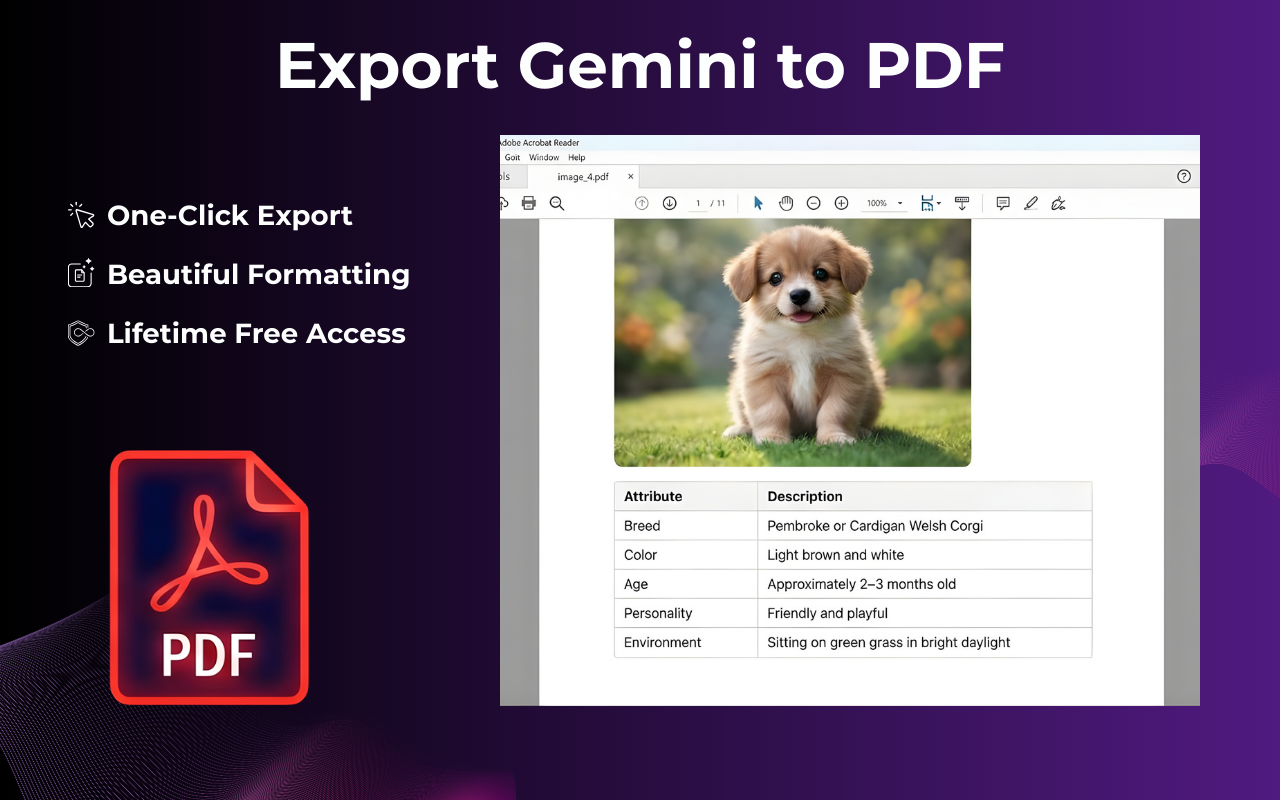
Gemini to PDF conversion used to mean copy-pasting into a document and reformatting everything by hand. With this extension, you open a Gemini chat, click once, and a clean PDF lands in your downloads — code blocks, tables, and math formulas included.

★★★★★ Trusted by 1,000+ Gemini users · No sign-up needed

How to Export Gemini Chat to PDF

Four steps. Takes under 15 seconds from start to download.

Open the Gemini conversation you want to save

Go to gemini.google.com and navigate to the chat. Works with any length of conversation, including Gemini Advanced threads.

Click the GeminiExporter icon in your Chrome toolbar

A floating button also appears directly on the Gemini page, so you never have to leave the conversation to trigger the export.

Select PDF as your format

The export panel lets you choose between PDF, Word, Google Docs, and Notion. Pick PDF for a print-ready file that looks the same on every device.

Your PDF is ready — download it instantly

The file saves directly to your computer. No watermarks. No account required. No data sent to any external server.
Gemini to PDF extension interface — export panel open on a Gemini conversation showing PDF, Word, Google Docs and Notion options

What the Gemini to PDF Extension Preserves

Every element you see in Gemini comes through cleanly in the exported PDF — nothing gets lost or mangled.

Element In PDF Notes
<code> blocks Syntax-highlighted, monospaced, preserves indentation
LaTeX math formulas Rendered as readable equations, not raw markup
Tables Column widths and alignment respected
Bold, italic, headings Full Markdown rendering in the output
Numbered & bullet lists Nested lists preserved correctly
Inline images Images shown in context within the conversation
Long conversations No message cap — exports full thread automatically

Built for Everyday Gemini Users

The extension is straightforward on purpose — it does one thing very well.

One-click PDF export

No settings to dig through. Click the icon, pick PDF, and the file is on your desktop. The entire process takes less time than a copy-paste.

Export the full chat or just a part of it

Need only the last answer with the code snippet? Use the partial selection tool to choose exactly which messages go into the PDF.

Completely private — runs locally

The extension reads your conversation inside the browser and writes the PDF on your own machine. Your Gemini data never touches our servers.

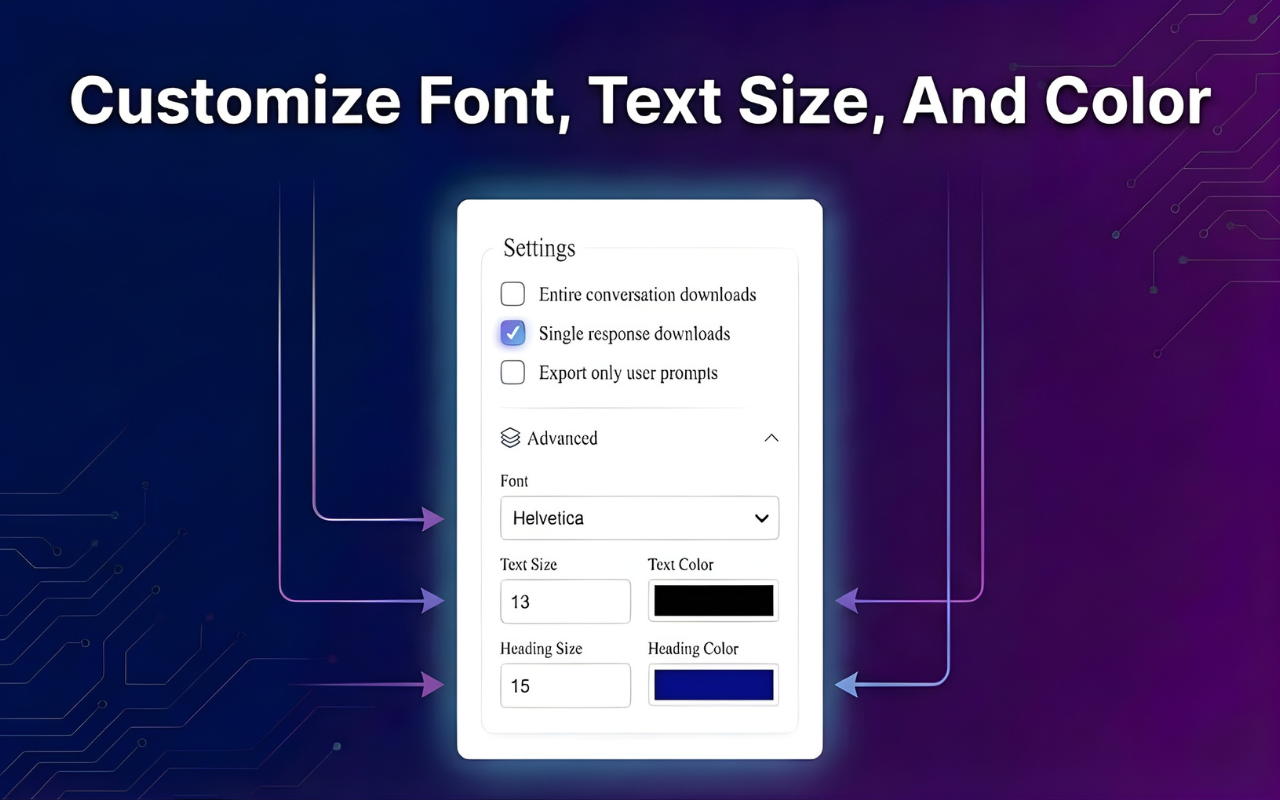
Custom fonts and colors before you export

Adjust the font family, text size, and accent color to match your company style or personal preference before the PDF is generated.

Works with every version of Gemini

Free tier, Gemini Advanced, and Gemini for Google Workspace — all supported. The extension stays updated with Gemini's interface changes.

Runs on Chrome, Edge, and Brave

Any Chromium-based browser that supports the Chrome Web Store can install and run this Gemini to PDF extension without any extra setup.

Gemini to PDF export customization panel — adjust font, text size and colors before downloading the PDF

What People Say About the Extension

From researchers to developers — here's what daily users find most useful.

★★★★★

"I research every day in Gemini and the Gemini to PDF export is the only way I keep things organized. Code blocks come out perfectly — exactly what was in the chat."

— James R., Data Scientist

★★★★★

"Sent a client a PDF of our entire AI-assisted strategy session. Looked completely professional. They had no idea it came straight from a Gemini chat."

— Priya S., Product Manager

★★★★★

"Finally stopped screenshotting Gemini answers. The PDF export grabs everything — math, tables, the whole conversation — in one clean file."

— Carlos M., Content Strategist

Frequently Asked Questions

Common questions about the Gemini to PDF extension — answered plainly.

How do I export a Gemini chat to PDF?

Install the Gemini to PDF extension from the Chrome Web Store, open any chat on gemini.google.com, click the GeminiExporter icon in your toolbar, select PDF, and click Export. The file downloads in under 10 seconds — no login, no upload, no waiting.

Is the Gemini to PDF extension free?

Yes. You can install and use the core Gemini to PDF export feature at no cost. No sign-up, no credit card, and no watermarks on your exported files.

Does it preserve code blocks and LaTeX math formulas?

Yes. Code blocks are rendered in a monospaced font with preserved indentation. LaTeX math formulas are converted into readable equations in the PDF output — not raw markup. Tables, lists, and headings are also preserved correctly.

Is my Gemini conversation data private when I use this?

Completely. The extension reads your conversation inside Chrome and generates the PDF on your own machine. No data is sent to any external server, cloud, or database.

Does it work with Gemini Advanced and Google Workspace?

Yes. The extension works with every version of Gemini — the free tier, Gemini Advanced, and Gemini for Google Workspace. It's kept up to date with Gemini's interface changes.

Can I export only part of a conversation?

Yes. The partial selection feature lets you pick specific messages or sections before exporting. It's useful when you only need the final answer, a single code block, or a specific part of a long Gemini thread.

Does the Gemini to PDF extension work on Edge and Brave?

Yes. Any Chromium-based browser that supports the Chrome Web Store can install and run the extension — including Microsoft Edge and Brave.

Start Exporting Your Gemini Chats to PDF Today

Free to install. No account. Works with every version of Gemini. Your next research session, code review, or client brief is one click away from a clean, shareable PDF.

Get the Gemini to PDF Extension Free

Available on Chrome, Edge & Brave · No sign-up · 100% private