How Do I Create a Landing Page with AI Without Coding?
Draft6 min read
How do I create a landing page if I do not know how to code?
This is a common question for founders, marketers, freelancers, creators, and small business owners who want a simple web page to promote a product, service, event, waitlist, or lead magnet.
The good news is that you do not need to hire a developer. You do not need to learn HTML, CSS, or JavaScript. You also do not need to use a complicated website builder.
You can create a landing page with AI, turn the AI-generated HTML into a real website, and get a shareable link in just a few minutes.
In this guide, I will show you a simple step-by-step workflow using ChatGPT, Claude, Gemini, and HTML Deployer.
Step 1: Open an AI Tool
The first step is to open an AI tool that can generate HTML code.
You can use:
ChatGPT
Claude
Gemini
If you do not have an account yet, signing up usually only takes a few minutes.
I recommend Claude for this workflow because it is very good at generating clean landing page code. But ChatGPT and Gemini can also work well.
Step 2: Ask AI to Create Your Landing Page
To create a landing page with AI, you need to describe what you want the page to be about.
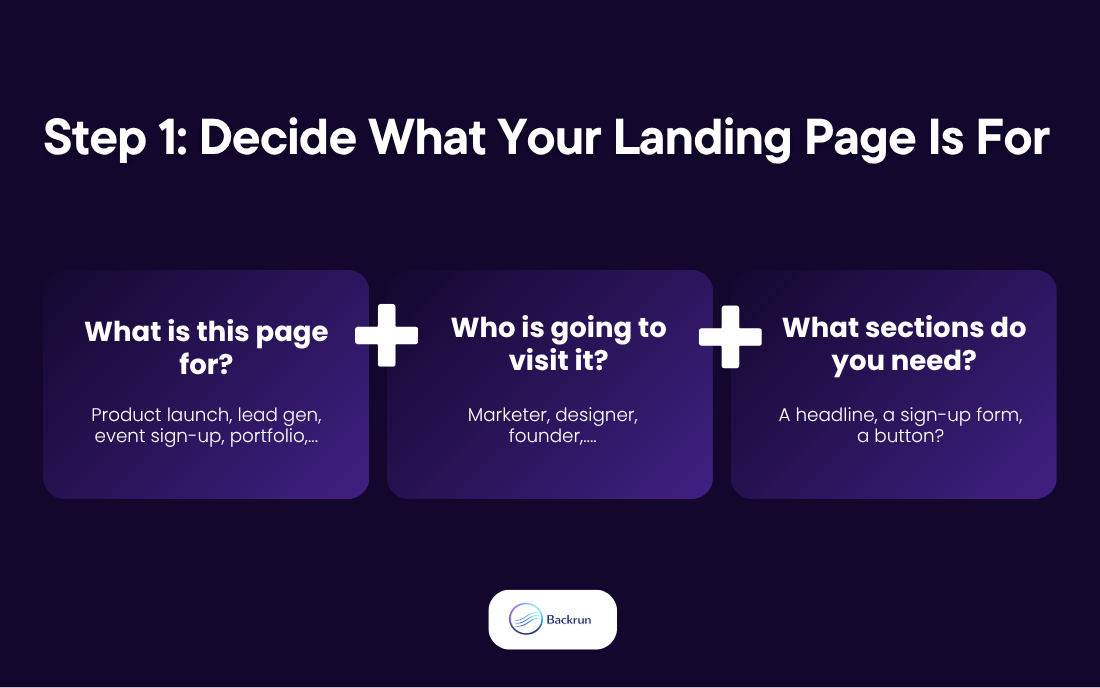
You should give the AI details such as:
Your brand name
Your product or service
The goal of the landing page
Your target audience
The style you want
The main call to action
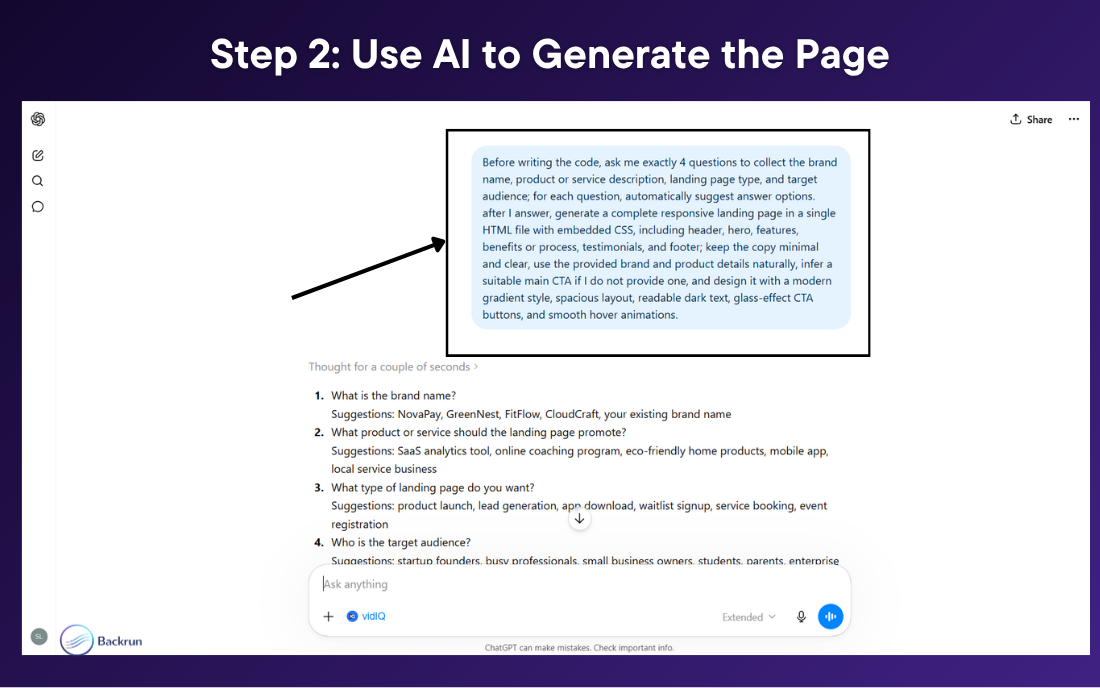
To make this easier, copy and paste this prompt into your AI tool: " Before writing the code, ask me exactly 4 questions to collect the brand name, product or service description, landing page type, and target audience; for each question, automatically suggest answer options. After I answer, generate a complete responsive landing page in a single HTML file with embedded CSS, including header, hero, features, benefits or process, testimonials, and footer; keep the copy minimal and clear, use the provided brand and product details naturally, infer a suitable main CTA if I do not provide one, and design it with a bright modern SaaS style using white space, deep purple, violet, lavender, magenta, and subtle blue gradients, readable dark text, glass-effect cards and CTA buttons, soft shadows, rounded corners, and smooth hover animations."
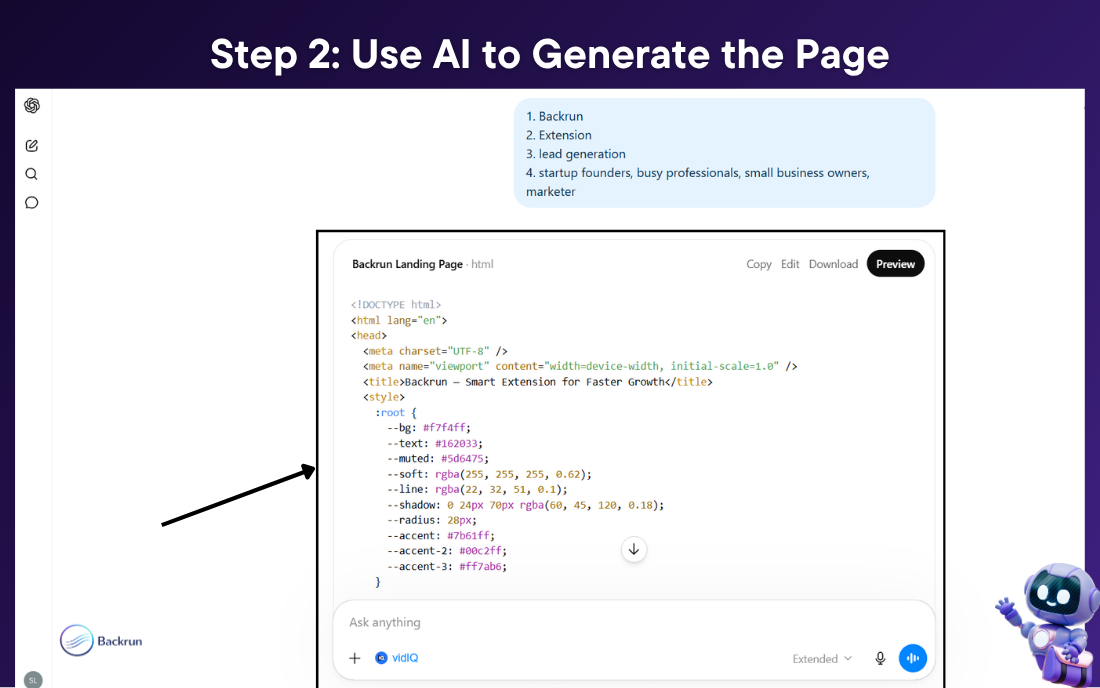
After you answer the AI’s questions, it will generate a full landing page as HTML code.
The code may look long and unfamiliar. That is completely normal. You do not need to read it or understand every line.
If you want to change the colors, rewrite the copy, add a pricing section, add testimonials, or change the layout, just ask the AI to update the page.
Step 3: Install HTML Deployer
Once the AI has created your landing page code, the next question is: How do I create a landing page that people can actually open online?
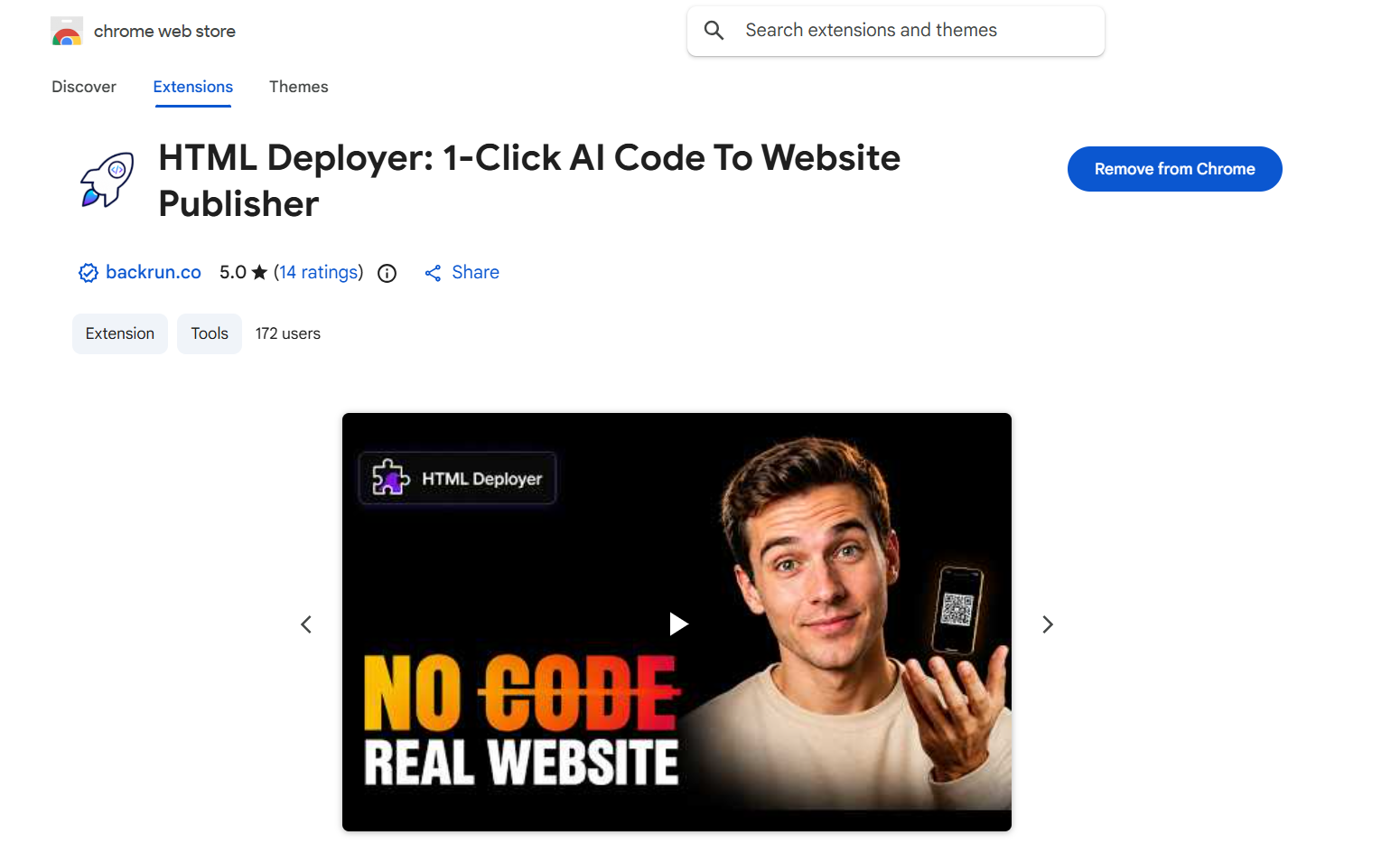
Go to the Chrome Web Store, search for HTML Deployer, and click Add to Chrome.
HTML Deployer is a Chrome extension that helps you turn AI-generated HTML into a real website link. It works with HTML created from ChatGPT, Claude, and Gemini.
You can use other publishing tools too, but HTML Deployer is simple for this workflow because it lets you preview and publish the page directly from the browser.
Step 4: Preview Your Landing Page
After installing HTML Deployer, go back to the AI chat where your landing page code was generated.
Reload the page.
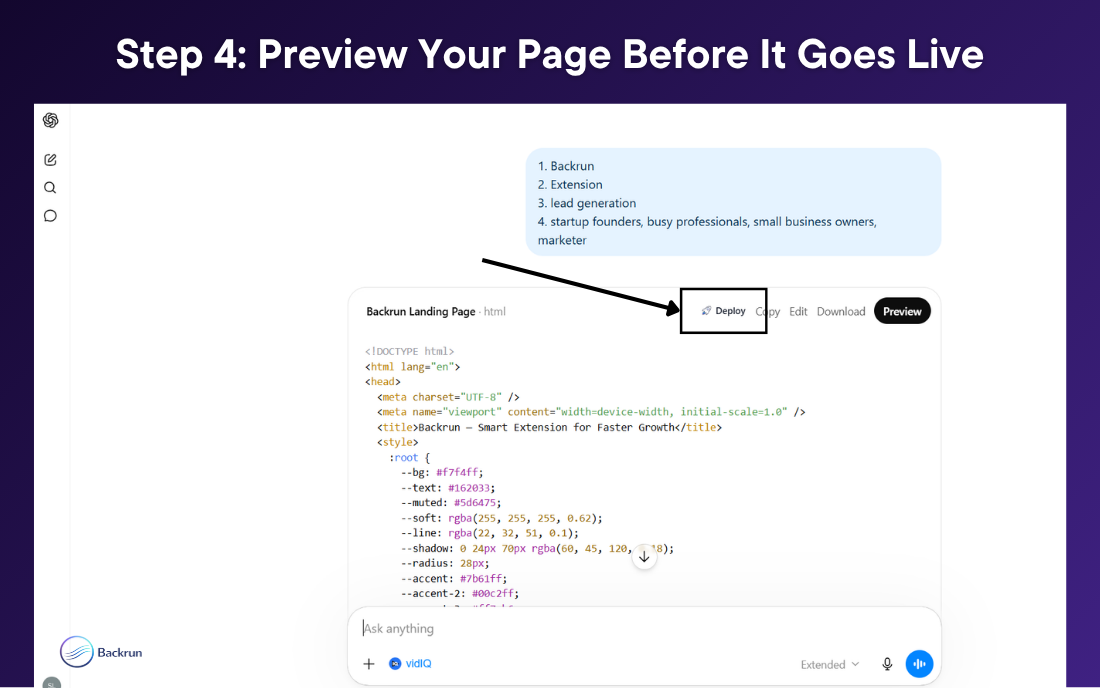
HTML Deployer will detect the HTML code and show a Deploy button next to it.
Click the Deploy button to open the HTML Deployer dashboard.
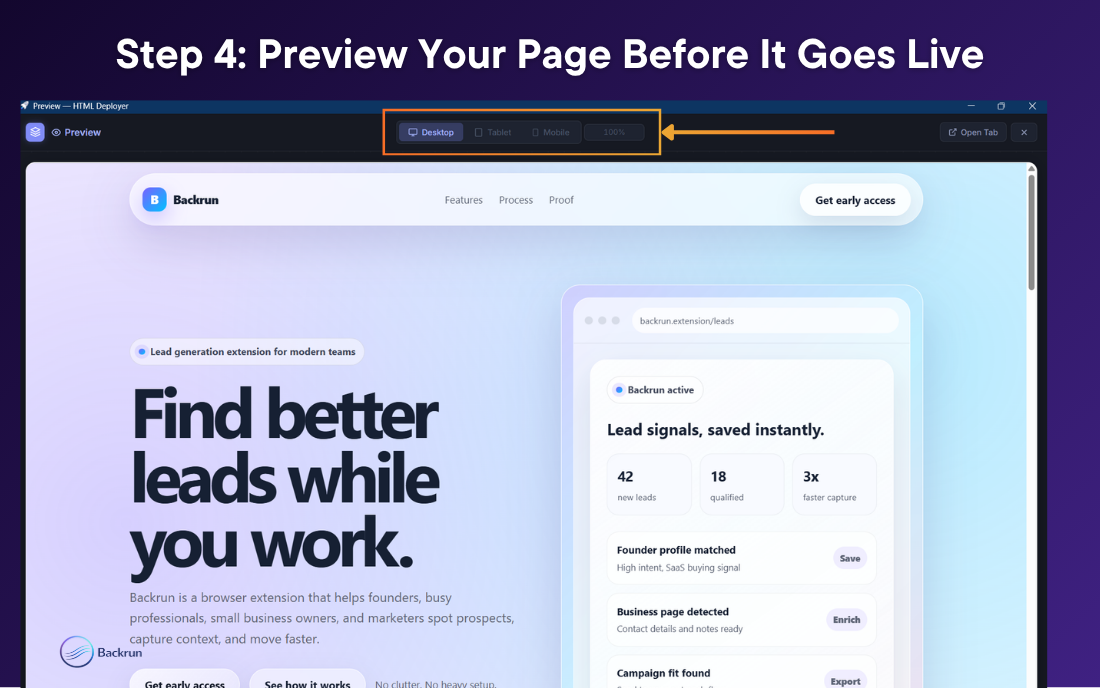
Before publishing, preview your landing page on different screen sizes:
Desktop
Tablet
Mobile
This step is important because a landing page may look good in the AI chat but still need small layout adjustments before it goes live.
If something looks wrong, go back to the AI and ask it to fix the issue. Then preview again.
Step 5: Publish the Landing Page and Get a Live Link
After you are happy with the preview, you can publish the landing page.
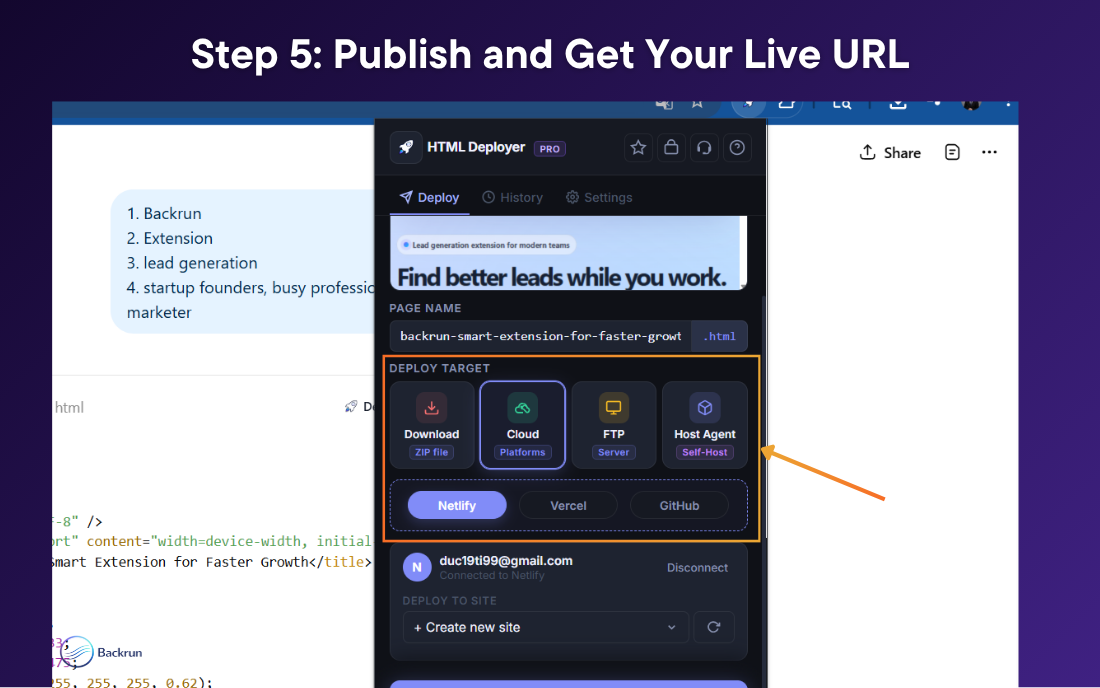
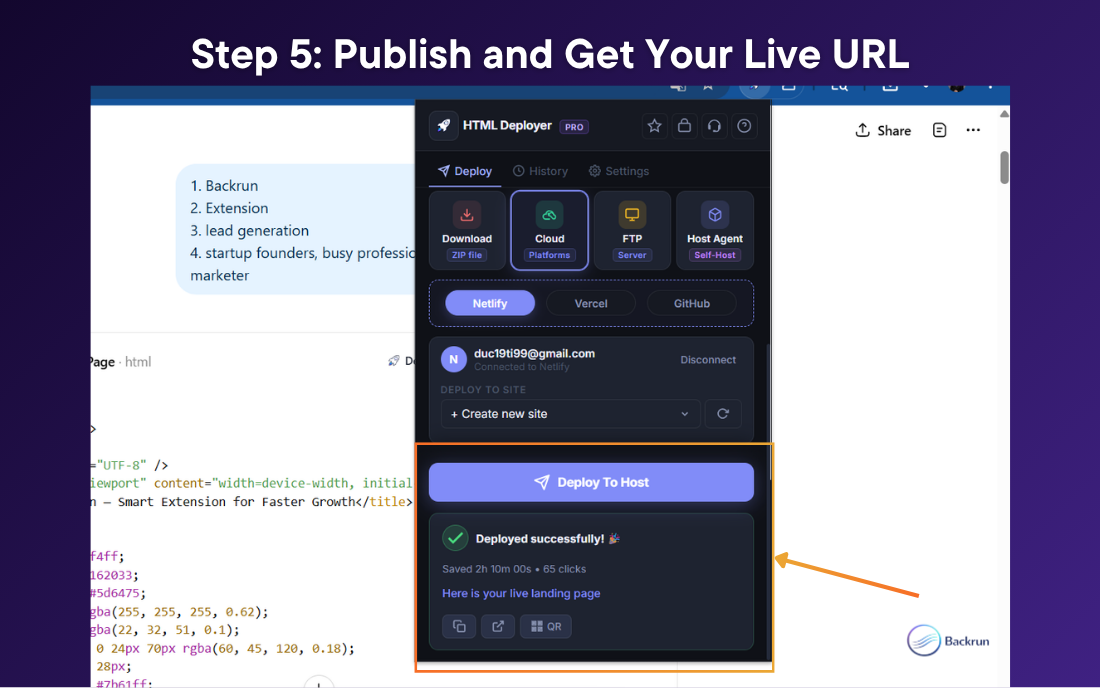
In HTML Deployer, choose Cloud, then select Netlify.
Follow the setup instructions to connect your Netlify account. If you are not sure what to do, check the tutorial video inside the tool’s settings page.
Once your account is connected, open HTML Deployer again and click Deploy to Host.
In less than a minute, you can have a live landing page link that you can share with customers, clients, teammates, or your audience.
You can use the link for:
Product launches
Client demos
Lead generation
Ad campaigns
Event pages
Waitlists
Social media bios
Quick idea validation
Why This Workflow Is Useful
The old way of creating a landing page often required many steps.
You had to write the code, save files, choose a hosting provider, upload the files, test the page, and fix mistakes manually.
With this AI workflow, you can move much faster.
You use AI to create the landing page. You use HTML Deployer to preview the page. You publish the page and get a real website link.
This makes it easier for non-technical users to go from idea to live landing page without learning how hosting works from scratch.
Final Thought
So, how do I create a landing page without coding?
The easiest way is to use AI to generate the landing page code, then use HTML Deployer to preview and publish it as a real website.
Here is the simple workflow:
Open ChatGPT, Claude, or Gemini.
Ask AI to create a responsive landing page.
Install HTML Deployer.
Preview the page on desktop, tablet, and mobile.
Publish the page and get a live link.
This process can take around 5 minutes once you understand the steps.
You do not need coding knowledge. You do not need to hire a developer. You do not need to set up a complex website builder.
You just need a clear idea, an AI tool, and a simple way to publish the HTML.
What product, service, or idea do you want to create a landing page for? Comment below and I can suggest a custom AI prompt for you.