The Fastest HTML Publisher for AI-Generated Pages

HTML Publisher From AI Chat to Live Website in Under a Minute

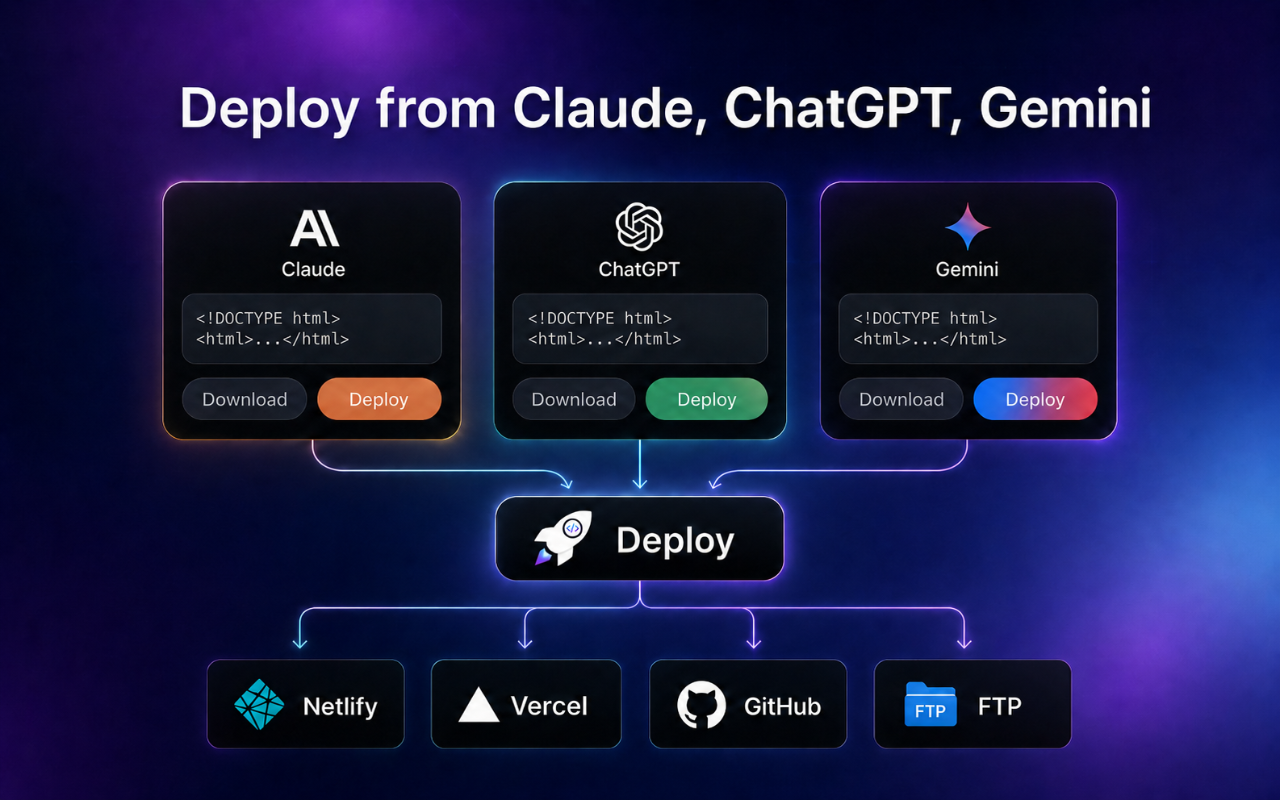
Publish HTML pages from ChatGPT, Claude and Gemini directly from your browser — no terminal, no Git, no waiting for a developer.

Works in ChatGPT, Claude & Gemini
Netlify, GitHub Pages, FTP
Live URL in <10 seconds
No coding required

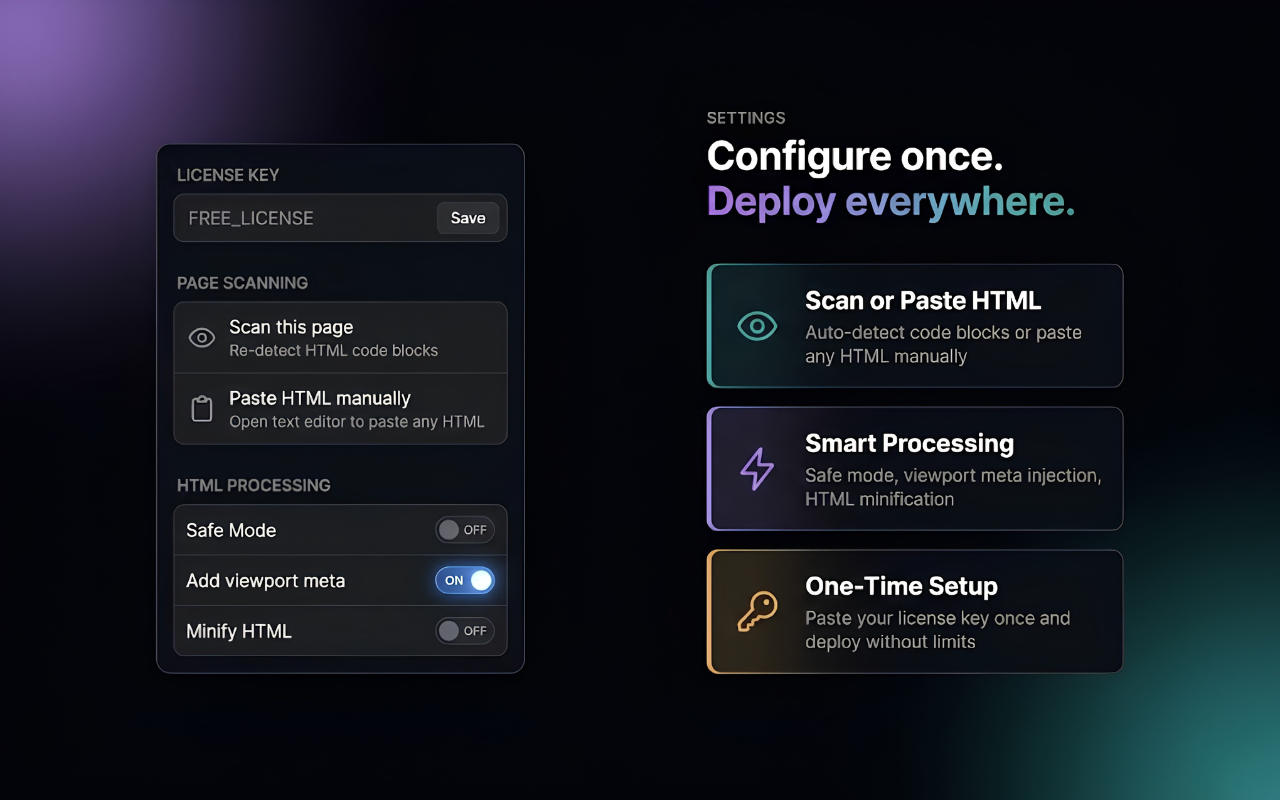
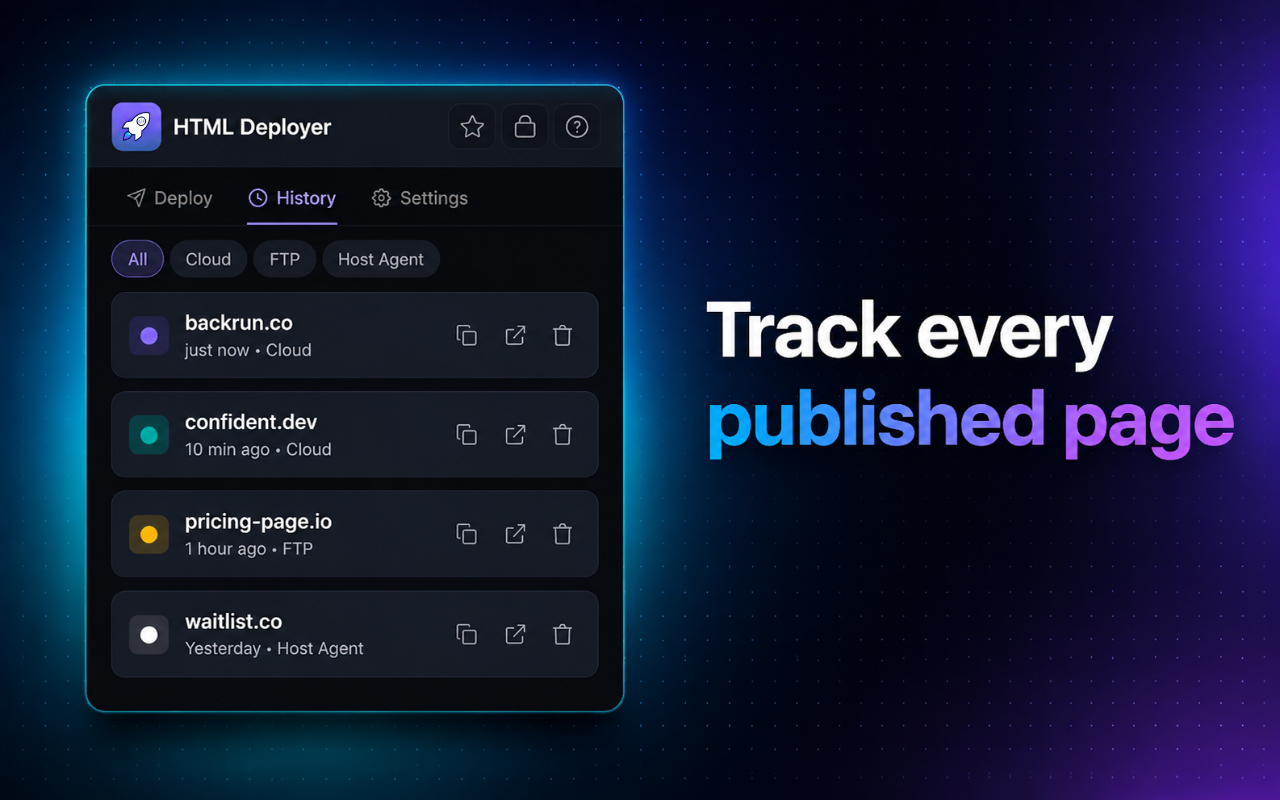
HTML publisher extension detecting AI-generated HTML code in ChatGPT HTML publisher generating live URL and QR code after publishing Multi-device preview panel in HTML publisher showing desktop tablet mobile HTML publisher deploy panel with Netlify GitHub FTP and self-host options HTML publisher settings and configuration panel HTML publisher deployment history showing all published pages

You Have the HTML. You Just Need a Way to Publish It.

AI tools have made creating HTML effortless. But there's still a gap between a code block in a chat window and a real, shareable URL.

Without an HTML Publisher

Copy HTML from chat, open terminal, run commands
Learn Git, Netlify CLI, or hosting control panels
Wait for a developer to publish a simple page
30–60 minutes per page, even for something small

With This HTML Publisher

1 click — HTML auto-detected from the AI chat
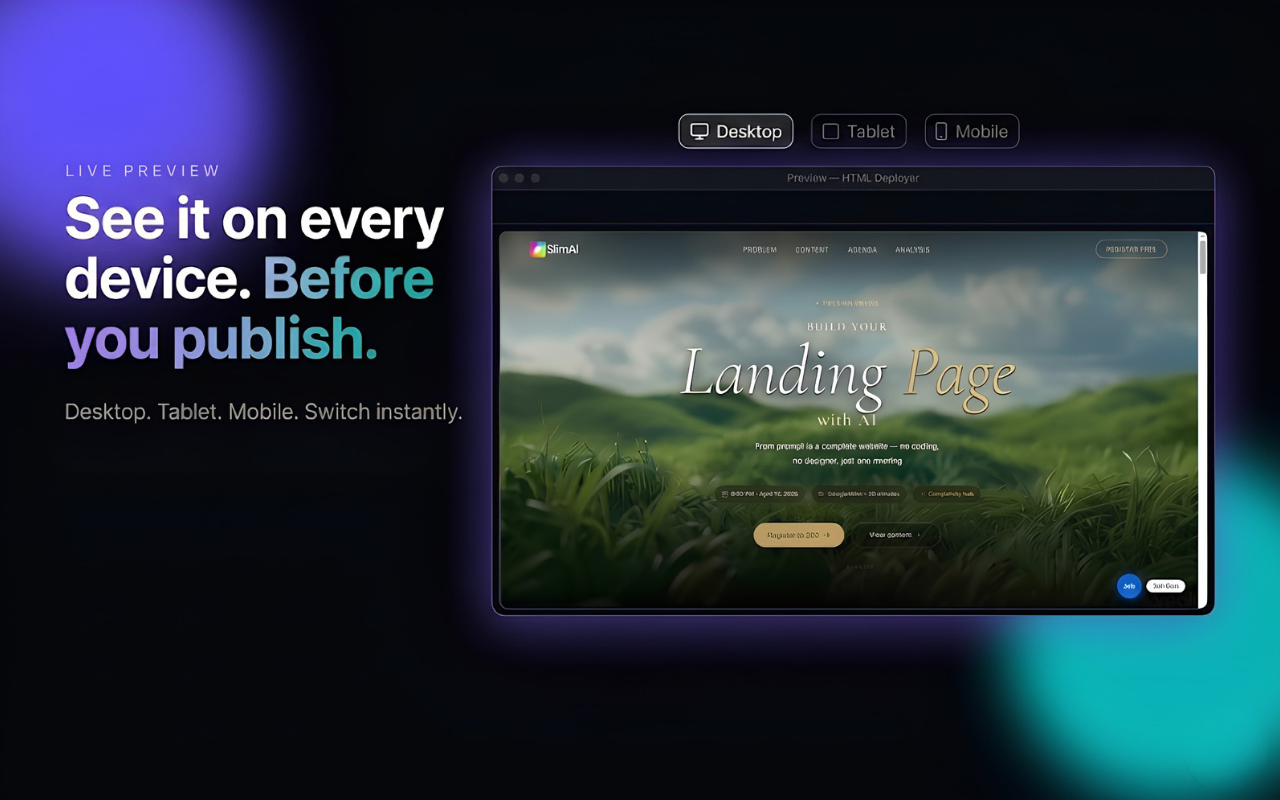
Preview on desktop, tablet and mobile instantly
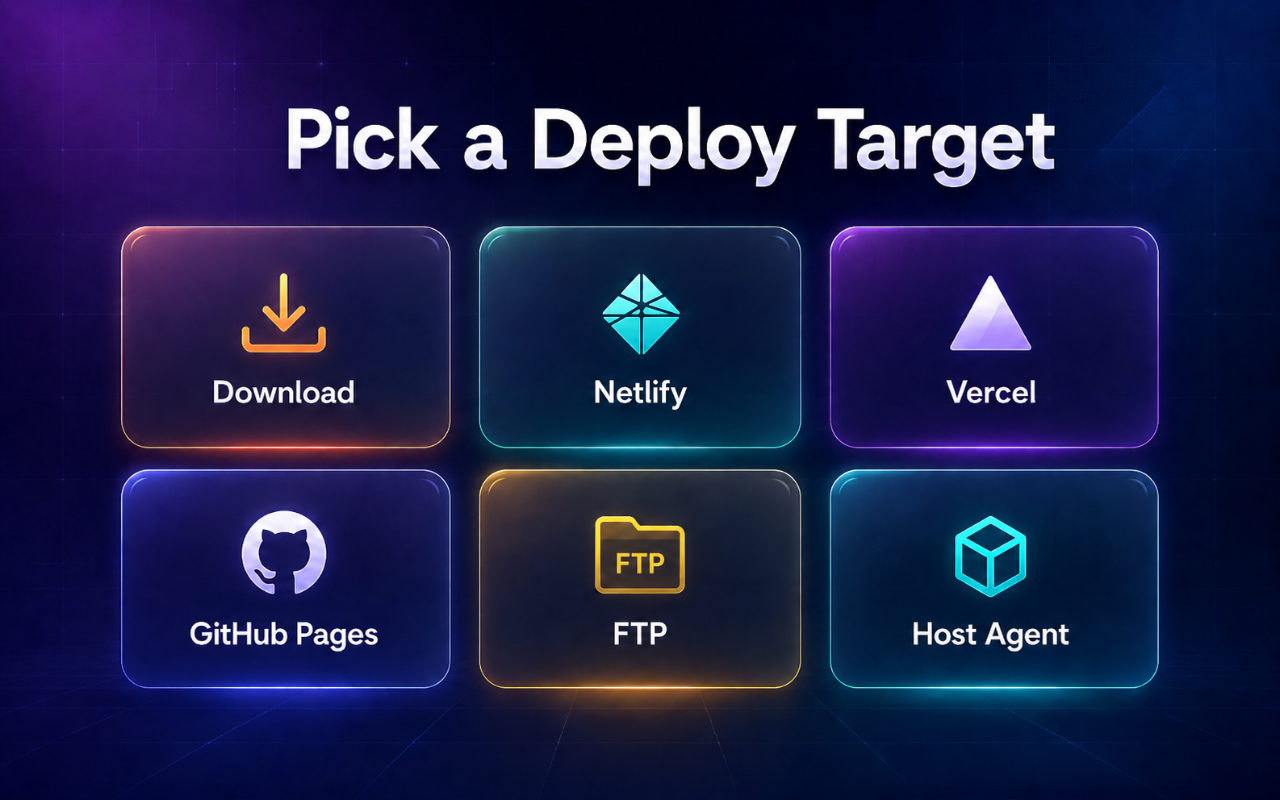
Choose Netlify, GitHub, FTP or your own server
Live URL + QR code in under 10 seconds

How to Publish HTML in 5 Simple Steps

Go from AI-generated code to a shareable link faster than any manual workflow.

1

Generate HTML with ChatGPT, Claude or Gemini

Open your favourite AI tool and ask it to build any webpage — landing page, portfolio, event page, or microsite.

2

The HTML publisher auto-detects the code

The extension scans the AI page in real time and highlights the HTML block — no copy-paste, no switching tabs.

3

Preview on desktop, tablet & mobile

See exactly how your page looks across all screen sizes before it goes live. Catch layout issues in seconds.

4

Choose your publish target

Select Netlify, GitHub Pages, FTP hosting, or your own self-hosted agent endpoint — 4 flexible publishing modes.

5

Publish HTML & get your live URL + QR code

Hit Publish — your page goes live in seconds. A shareable URL and auto-generated QR code are ready immediately.

Video tutorial showing how to use the HTML publisher to go from AI code to a live website

Watch how to publish HTML in under 2 minutes

Where Can You Publish Your HTML?

4 flexible HTML publishing modes — pick the one that fits your workflow.

Netlify

Free CDN, HTTPS, custom domain ready.

GitHub Pages

Version-controlled, always free.

FTP Hosting

Publish to any shared hosting you already own.

Self-Hosted

Max control, zero lock-in via your own Host Agent.

ZIP Export

Download a clean package, upload anywhere.

Any Host

No lock-in — your HTML, your hosting, your rules.

Everything You Need in One HTML Publisher

Built for marketers, founders, freelancers, and agencies who need to publish HTML pages fast — without DevOps overhead.

Auto-Detect AI-Generated HTML

The publisher scans ChatGPT, Claude and Gemini in real time, finds HTML code blocks automatically, and loads them into the publish panel — zero manual copying.

Works on ChatGPT, Claude, Gemini
Detects multiple code blocks per page
Instantly ready to preview and publish

Preview Before You Publish HTML

Review exactly how your page looks on desktop, tablet, and mobile before it goes live. Catch layout issues in seconds — not after the page is already public.

Desktop, tablet & mobile preview
Instant live render — no server needed
Review layout before every publication

Publish HTML & Get a Live URL Instantly

Hit Publish and get a shareable link in under 10 seconds. A QR code is generated automatically — perfect for sharing on mobile or presenting to clients.

One-click ZIP export for manual hosting
Direct cloud publish in seconds
Auto QR code after every successful publish

Full Publish History

Every page you publish is saved. Re-open past links, view QR codes again, or republish with a single click — no reconfiguration needed.

View all previously published pages
Re-open links and QR codes anytime
Republish without redoing setup

Your Data Stays on Your Device

HTML is processed entirely in your browser. It's only sent to your chosen destination when you click Publish. Credentials are stored locally, never on our servers.

Local processing — nothing stored server-side
Credentials encrypted in browser storage
No account required to publish

No Platform Lock-In

Unlike other tools that force you into their hosting, this HTML publisher works with the infrastructure you already have. Switch targets anytime, with zero penalty.

Use Netlify, GitHub, FTP, or your own server
Switch publish targets per project
Your domain, your infrastructure

Who Uses This HTML Publisher?

Anyone who creates HTML with AI and needs to share it as a real website.

Marketers & Founders

Use AI to create landing pages, campaign microsites and event pages — then publish HTML directly without waiting for a developer.

"From HTML to live campaign page in 2 minutes."

Freelancers & Builders

Deliver client demos and prototypes faster. Publish HTML pages in seconds without repetitive deployment workflows slowing you down.

"Send a live demo link before the coffee gets cold."

Agencies & Teams

Standardize how your team publishes HTML pages for clients. Let junior staff publish safely without touching FTP configs or risking production.

"Less FileZilla, faster delivery, fewer mistakes."

What People Say

Real feedback from marketers, freelancers and builders using the HTML publisher daily.

"I can finally publish HTML pages myself. Before this, I had to ask a developer every time I needed a simple landing page updated. Now I do it in 2 minutes."

Sarah M. — Growth Marketer

"As a freelancer delivering 10+ small sites per month, this HTML publisher saves me at least an hour a day. The FTP publishing mode works perfectly with my client hosting accounts."

James K. — Web Freelancer

"Our team used to rely on one person who knew how to deploy. Now anyone can publish HTML directly to our staging environment. Game changer for campaign velocity."

Lin T. — Digital Agency Owner

HTML Publisher FAQ

Everything you need to know before you start publishing HTML.

What exactly is an HTML publisher?

An HTML publisher is a tool that takes an HTML file and makes it accessible as a real website with a shareable URL. This extension does that directly from your browser — no terminal, no command line, and no developer needed. It detects HTML in AI chats, lets you preview it, and publishes it to your chosen hosting platform in one click.

Which AI tools does it work with?

The HTML publisher auto-detects code blocks in ChatGPT, Claude, and Google Gemini. It monitors the page in real time and surfaces a Publish button next to any HTML block — so you never have to copy and paste manually.

Do I need a hosting account to publish HTML?

For Netlify and GitHub Pages, a free account is enough — both offer generous free tiers for static HTML publishing. For FTP, you'll need an existing hosting account. If you don't have any of these, the ZIP Export option lets you download your HTML and upload it anywhere manually.

Is my HTML code and credentials kept safe?

Yes. All HTML processing happens locally in your browser. Your code is only sent to your chosen publish target (Netlify, GitHub, your FTP server) when you explicitly click Publish. Credentials are stored in your browser's local storage and are never transmitted to or stored on our servers.

Can I update a page after publishing HTML?

Yes. You can re-publish any time to push an updated version. The Publish History panel lets you revisit past deployments, grab the live URL, or republish from scratch. For iterative campaign pages, this workflow is significantly faster than any manual approach.

Is it free to use?

The extension is free to install from the Chrome Web Store. Core HTML publishing features are available on the free tier. Advanced features and higher usage limits are available on paid plans — you can start for free and upgrade only when you need more.

Start Publishing HTML Today

Your AI Builds the HTML.
You Hit Publish. That's It.

The only HTML publisher that works right inside your AI chat — no switching tabs, no terminal, no waiting.

Free to install · No credit card · Works in 30 seconds