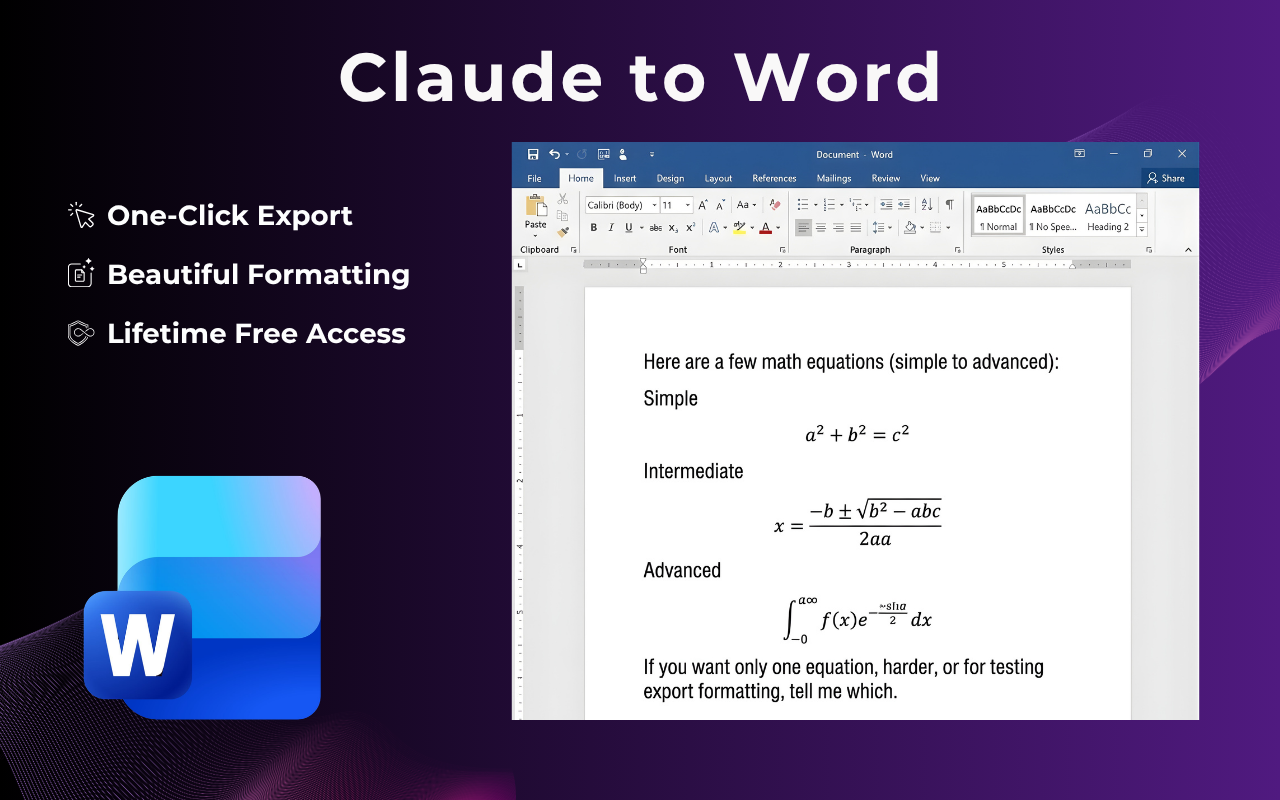
Claude to Word export used to mean copy-pasting responses into a blank document and cleaning up broken formatting. With this extension, you click once and get a properly structured .docx file — headings, code blocks, tables, and all.
Four steps. Done in under 15 seconds from browser to .docx file.
Go to claude.ai and open any chat — a research thread, a coding session, a document draft, or a long brainstorm. Works with Claude.ai Free, Pro, and Teams.
A floating button is also available directly on the Claude page, so you can trigger the export without switching tabs or hunting through menus.
The export panel offers PDF, Word, Google Docs, and Notion. Choose Word to get a fully editable .docx file you can open in Microsoft Word, Google Docs, or LibreOffice.
The Word file saves to your computer instantly. No watermarks, no account required, no data sent to any external server.
Every element Claude renders in the conversation comes through cleanly in the .docx output.
| Element | In Word | Notes |
|---|---|---|
| code blocks | ✓ | Monospaced font, background shading, indentation preserved |
| Markdown headings (H1–H3) | ✓ | Mapped to Word heading styles for a clean document outline |
| Tables | ✓ | Columns, alignment, and header rows all intact |
| Bold, italic, inline code | ✓ | Full inline formatting respected |
| Numbered & bullet lists | ✓ | Nested lists render correctly as Word list styles |
| Long conversations | ✓ | No message limit — full thread exported automatically |
| Inline images | ✓ | Images embedded directly in the Word document |
Simple, focused, and fast — the extension does one thing and does it well.
No configuration required. Click the icon, pick Word, and a properly formatted .docx file is on your computer. Faster than copy-pasting a single paragraph.
Only need Claude's final answer? Use the partial selection tool to pick specific messages. Perfect for extracting a single deliverable from a long session.
The extension generates the .docx file locally on your machine. Your Claude conversations are never uploaded to any server.
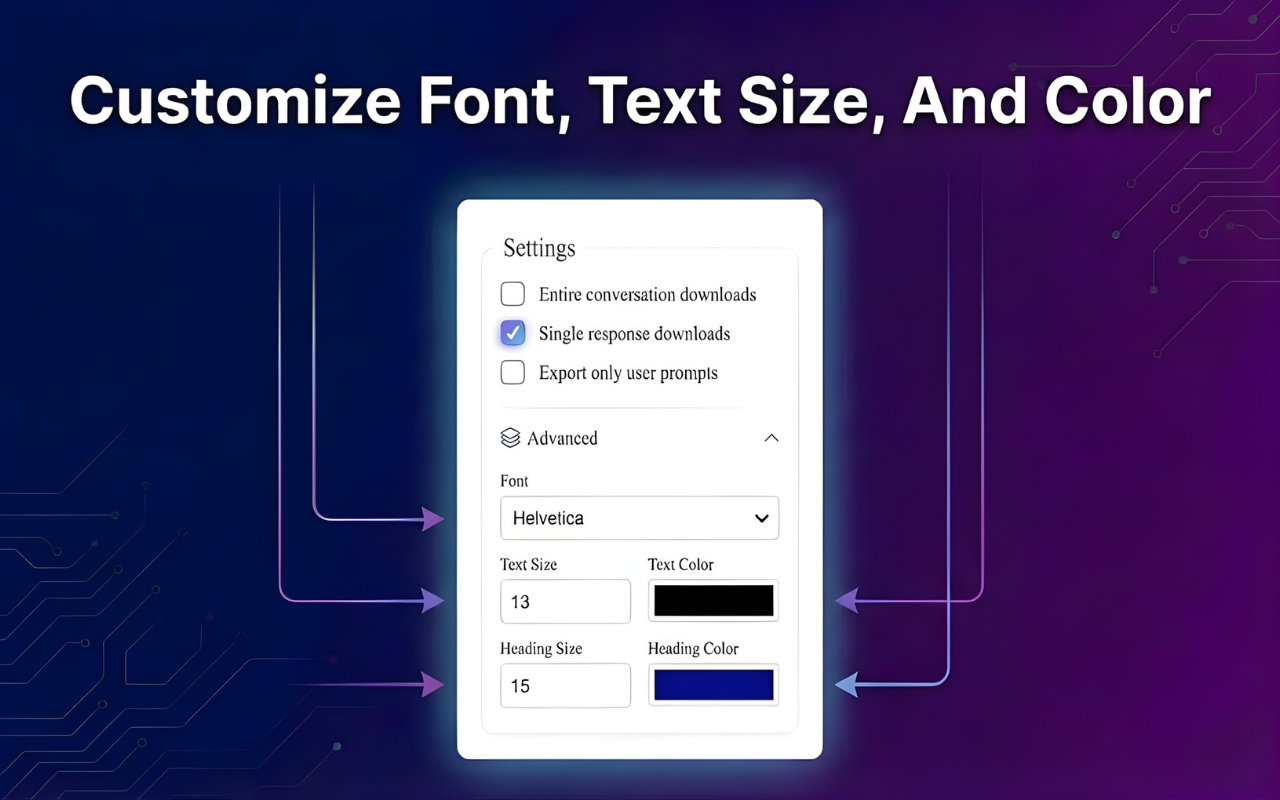
Adjust the font family, size, and accent color before downloading. Whether it's a client report or an internal document, the output can match your brand.
Every version of Claude on claude.ai is supported. The extension is kept up to date with every Claude interface change so it never breaks.
Any Chromium-based browser that supports the Chrome Web Store can install and use this Claude to Word extension with no extra setup.
From writers to developers — here's how daily Claude users put it to work.
"I draft everything in Claude now. The Claude to Word export means I can hand off a polished .docx to the client without spending 20 minutes reformatting it first."
"Code blocks actually come out right in the Word file. That was always the deal-breaker with copy-paste. This extension solved it completely."
"I run long research sessions in Claude and export the whole thing to Word to annotate and restructure. One click and the document is ready. Absolutely essential."
Common questions about the Claude to Word extension — answered clearly.
Install the Claude to Word extension from the Chrome Web Store, open any chat on claude.ai, click the ClaudeExporter icon in your toolbar, select Word, and click Export. The .docx file downloads in under 10 seconds — no login, no upload, no waiting.
Yes. The core Claude to Word export feature is completely free. No sign-up, no credit card, and no watermarks on your exported documents.
Yes. Code blocks are rendered in a monospaced font with background shading and correct indentation. Tables come out as proper Word tables. Headings map to Word heading styles, and all inline formatting — bold, italic, inline code — is preserved.
Completely. The extension reads your conversation inside Chrome and generates the .docx file on your own machine. No data is sent to any external server, cloud storage, or database.
Yes. The extension works with every Claude plan — Free, Pro, and Teams — on claude.ai. It's kept up to date with Claude's interface changes.
Yes. The export produces a standard .docx file that opens correctly in Microsoft Word, Google Docs, LibreOffice, and any other modern word processor. The formatting holds up across all of them.
Yes. Any Chromium-based browser that supports the Chrome Web Store can install the extension — including Microsoft Edge and Brave.
Free to install. No account needed. Works with every Claude plan. Your next research session, document draft, or code review is one click away from a clean, editable .docx file.
Get the Claude to Word Extension FreeAvailable on Chrome, Edge & Brave · No sign-up · 100% private